mirror of
https://github.com/DominikDoom/a1111-sd-webui-tagcomplete.git
synced 2026-11-05 00:17:25 +00:00
[GH-ISSUE #102] extension not working. #74
Labels
No labels
bug
duplicate
enhancement
help wanted
invalid
low priority
low priority
pull-request
question
waiting for feedback
wontfix
No milestone
No project
No assignees
1 participant

Notifications
Due date
No due date set.
Dependencies
No dependencies set.
Reference
DominikDoom/a1111-sd-webui-tagcomplete#74
Loading…
Add table
Add a link
Reference in a new issue
No description provided.
Delete branch "%!s()"
Deleting a branch is permanent. Although the deleted branch may continue to exist for a short time before it actually gets removed, it CANNOT be undone in most cases. Continue?
Originally created by @quallybeach on GitHub (Jan 3, 2023).
Original GitHub issue: https://github.com/DominikDoom/a1111-sd-webui-tagcomplete/issues/102
Autocompleted tags not showing up.


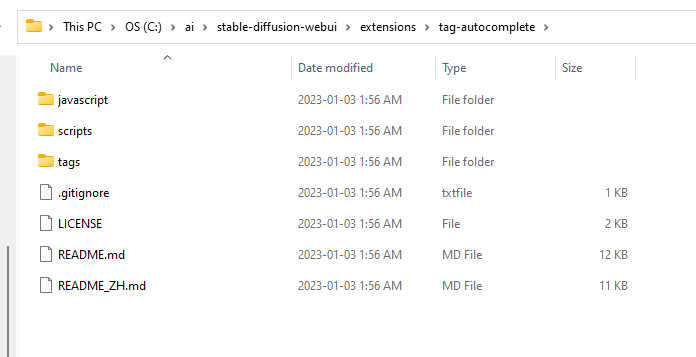
Im new to this and dont really know coding terms, so could you please explain what i'm doing wrong?
@maniakid commented on GitHub (Jan 3, 2023):
Yes, same here, deleted and reinstalled, type prompt but no dropdown menu showing, no error outputs.
@DominikDoom commented on GitHub (Jan 3, 2023):
This was caused by a change in the webui, fixed in
2ba513bedcand #101.Please try it out and see if that fixed it for you. Sorry for the inconvenience.
@quallybeach commented on GitHub (Jan 4, 2023):
Hey sorry I don't mean to sound dumb but I'm really new to this. like i just started using SD a few days ago. could you please explain to me how I go about doing that?
@DominikDoom commented on GitHub (Jan 4, 2023):
Just update both the webui and the extension, the current versions of both should work.
If you installed them using git you can just open a command prompt and type
git pullin the webui root and extension folder.The extension can alternatively also be updated using the Extensions tab in the webui, it will have a Check for updates button. If an extension shows "behind" afterward, just click on Apply and restart.
@quallybeach commented on GitHub (Jan 4, 2023):
:(
@DominikDoom commented on GitHub (Jan 4, 2023):
Any errors in the webui terminal or browser console?
@maniakid commented on GitHub (Jan 4, 2023):
Thanks. It works for me now.
But I find another small issue:First in the settings page, "Tag filename" is set to "None".Back to txt2img page, anytime type "__", the wildcards works well, but "<" for embeddings only works if I type "__" first, then backspace delete "__", then type "<" again, the dropdown menu shows.If "Tag filename" is not set to "None", everything works just fine.Never mind, I'm fine now.
@quallybeach commented on GitHub (Jan 5, 2023):
nope, everything's working perfect. the extension is there, it has its own page in the settings tab. it just doesn't work.
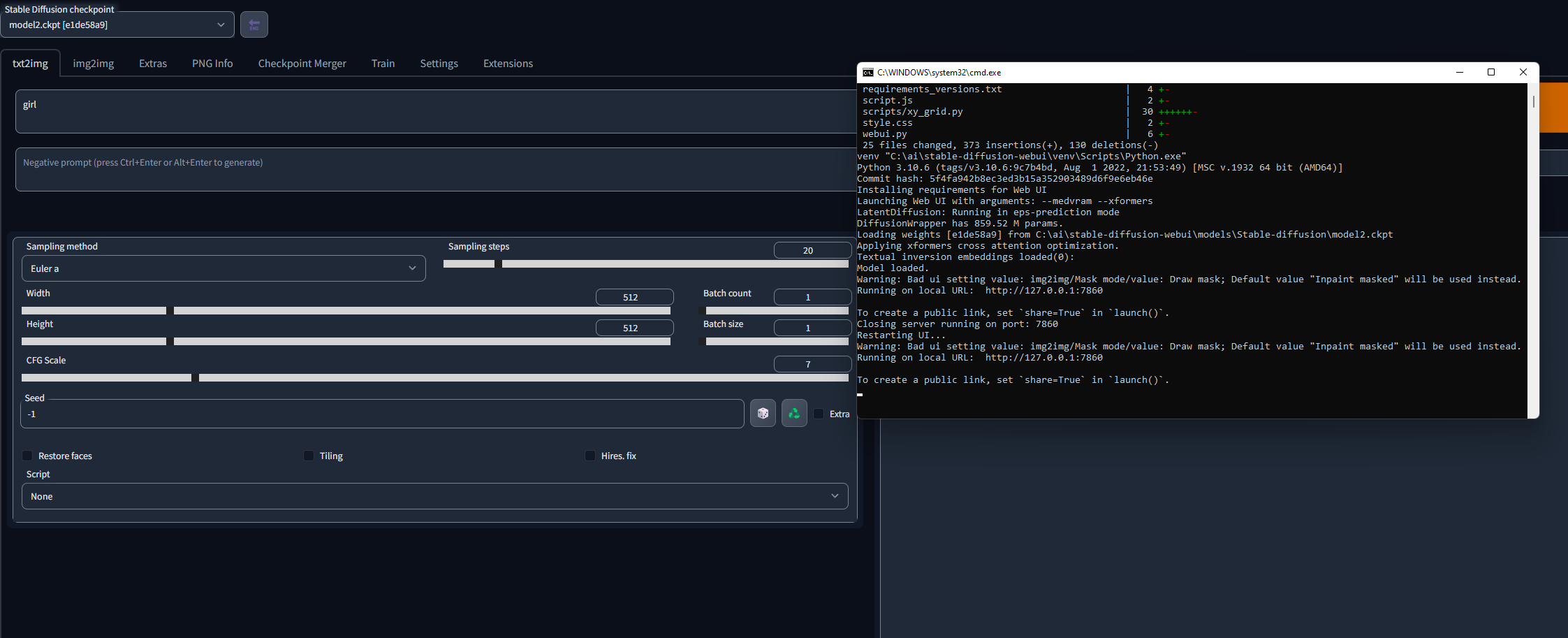
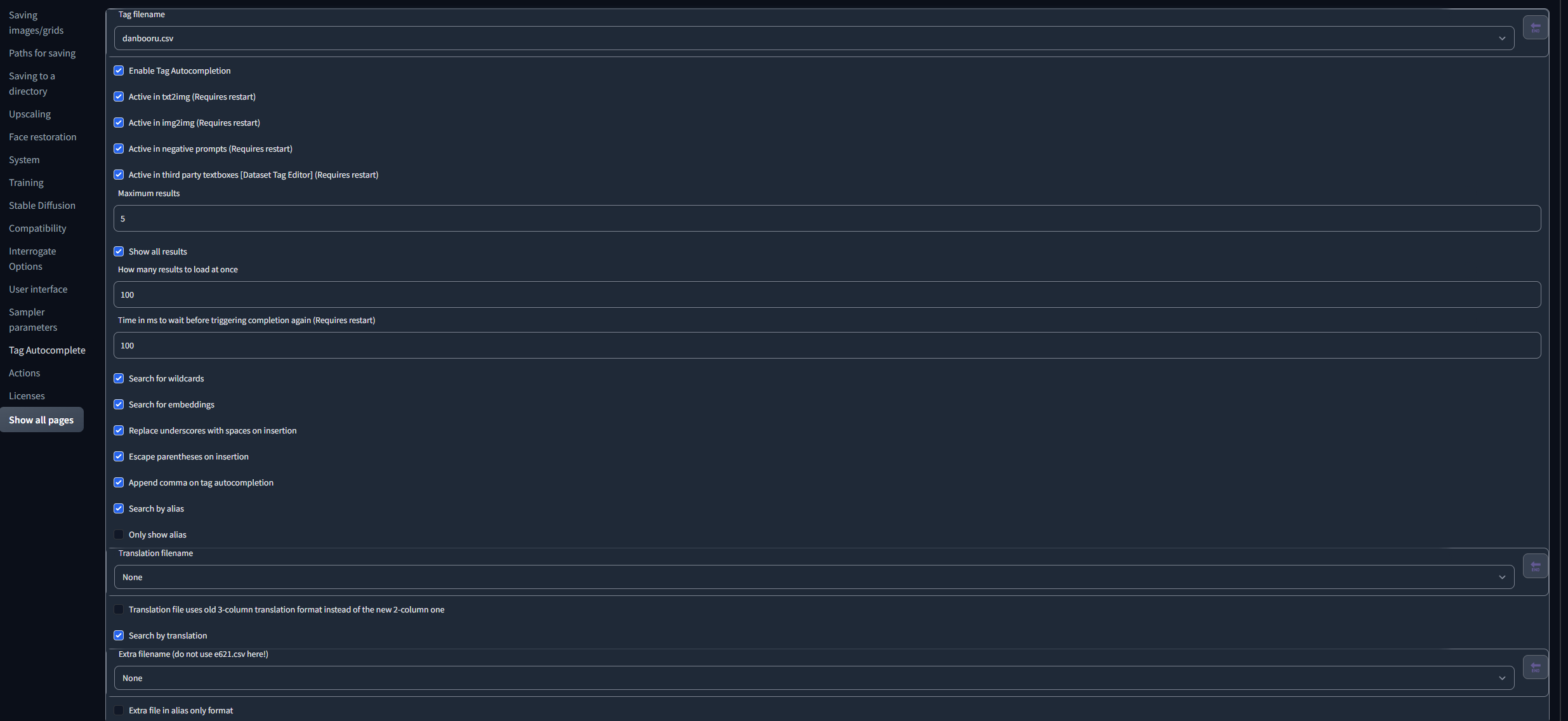
@DominikDoom commented on GitHub (Jan 5, 2023):
The script is like 80% javascript (client side), so most important for error detection is the browser console.
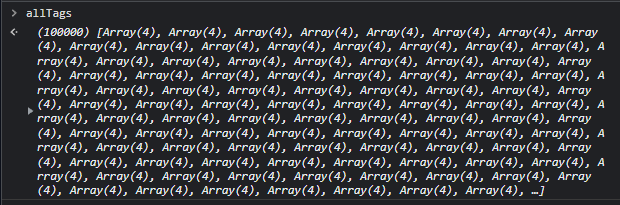
Pressing
Ctrl+Shift+Ishould work as a hotkey to open the dev tools on most browsers. In the menu that opens, there should be a "Console" tab somewhere. Please go there to see if any javascript errors pop up after the webui has started or while you type.Another thing you can try is simply typing
allTagsin the console and pressing enter, which should show something like this:Just as a check to make sure the client script loaded correctly.
If there isn't anything obvious, I'll need more information.
E.g. Which browser & browser version are you using, on which OS, etc. since it could be an incompatibility issue I wasn't aware of (haven't tried running it on Safari or Opera for example).
@quallybeach commented on GitHub (Jan 6, 2023):
I'm not seeing anything abnormal.
@DominikDoom commented on GitHub (Jan 6, 2023):
The red line at the end is an error, it could be related since the script does need to add some listeners to react to typing or settings changes. It could be that for whatever reason it can't find the UI elements on your installation.
Can you expand that line and click on the line number(s) for it? I need to know where it is triggered.
Also, I was wondering this before, the refresh icon and sliders in your webui screenshots look a bit strange. Are you on an older OS or something similar?
@quallybeach commented on GitHub (Jan 6, 2023):
idk what any of this means, cuz like i said im new to all this coding stuff.
@DominikDoom commented on GitHub (Jan 6, 2023):
Yeah, that squiggly underlined part means the settings button was not found, and due to this error the rest of the script can't continue.
But your code doesn't seem up to date, are you sure you updated both? The current version should look more like this:
@DominikDoom commented on GitHub (Jan 6, 2023):
Also, another thing you can try:
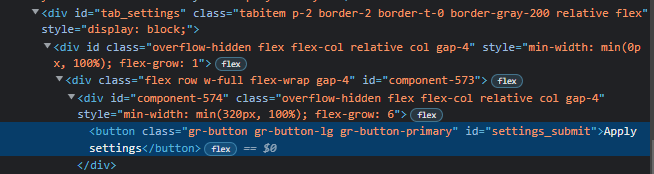
Open the webui settings page, right click the "Apply settings" button and click on "Inspect" in the context menu.
The HTML code of that part should look like this:
You can also try entering
gradioApp().querySelector("#tab_settings #settings_submit")in the browser console and seeing if it returns an element, instead of null or undefined.@quallybeach commented on GitHub (Jan 7, 2023):
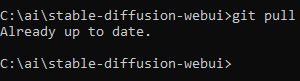
i mean it says its up to date, i do the "git pull" thing and it always says its up to date, idk how else i would update it.

@quallybeach commented on GitHub (Jan 7, 2023):
ur right. this does seem to be the issue, however i have 0 clues on how to fix it.

also I searched the line of code that you provided into the browser console and it came up with no results.
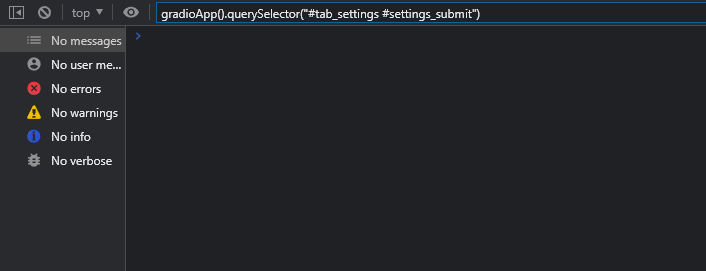
however being inexperienced in this field, i tried searching it through the actual console part and it came up with this


@DominikDoom commented on GitHub (Jan 7, 2023):
At this point I have no idea, since it found the button when you entered it in the console, it should by all means work in the webui too. That it doesn't reflect the current updates in the code is strange though.
Deleting and reinstalling the extension might be worth a try, maybe something got corrupted. Make sure you don't have a second copy installed somewhere that could interfere. Also, try refreshing the webui site with Ctrl+F5 to clear the site cache, just to make sure it doesn't hold on to the wrong version.
@quallybeach commented on GitHub (Jan 15, 2023):
its a miracle
@DominikDoom commented on GitHub (Jan 15, 2023):
@quallybeach Glad to see that you got it working!
So what fixed it in the end? Just reinstalling, or something else?
@quallybeach commented on GitHub (Jan 16, 2023):
I tried reinstalling it a bunch like a few weeks ago and it did nothing, but i gave it one last try last night and for some reason it worked!
@aComxhd commented on GitHub (Jan 29, 2023):
it happened on me alike him and solved it in 5 hours,i hope this could help some。
it dosen't work before a week so i back to a stable version (and it worked untill today when i start it),so i think it have a new version and update every thing,and it still don't work,I tyied check update,remove it and reload it (the files in extension floder),crtl f5,before i power off my computer there is no problem in terminal and i check it work and restart the sd
repeatedly, and now i start my computer adn sd and come git see more ,after a generate process ,i find it working when
i try ti change the tag.
so may after reload the web and the extension still ((need to restart the computer))?
i can't understand it,(it happend in 5 hour so less disturb so i write a reply)
i hope this have some helpful and i am sorry about my english.