# Image Editor Extension for Stable Diffusion Web UI



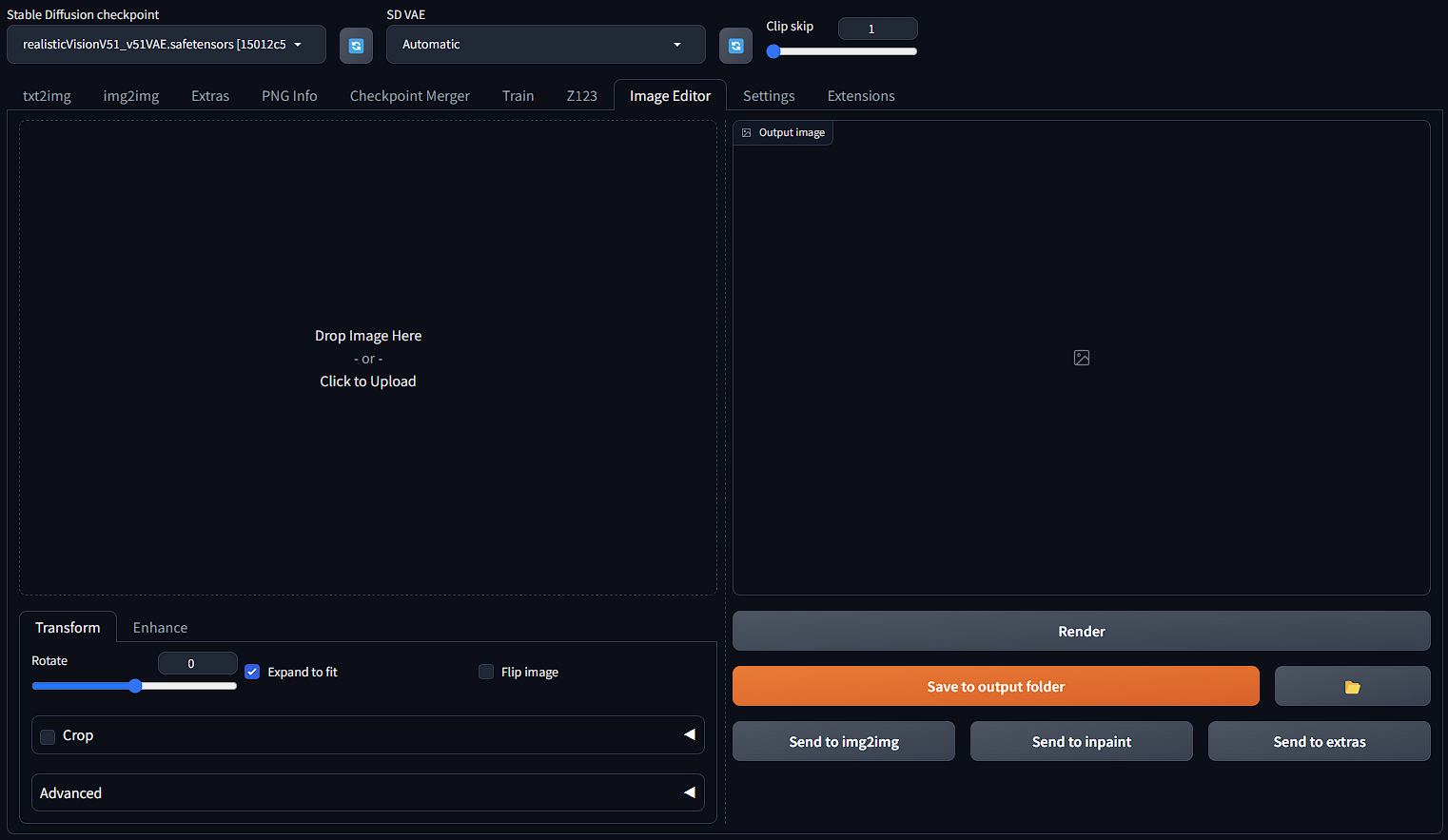
A simple, lightweight, and easy-to-use image editor for Stable Diffusion Web UI
This image editor is natively built for the [A1111 Stable Diffusion Web UI](https://github.com/AUTOMATIC1111/stable-diffusion-webui) ecosystem (compatible with [Forge](https://github.com/lllyasviel/stable-diffusion-webui-forge)) that offers integration with other core functions of SD Web UI to speed up your workflows. Quickly crop, rotate, enhance image, and send it to img2img in just a few seconds! 🚀🚀🚀
---
## ➡️ Installation
### Install through official index
1. Go to your Web UI: Extensions -> Available -> Load from
2. Search for SD Image Editor
3. Install

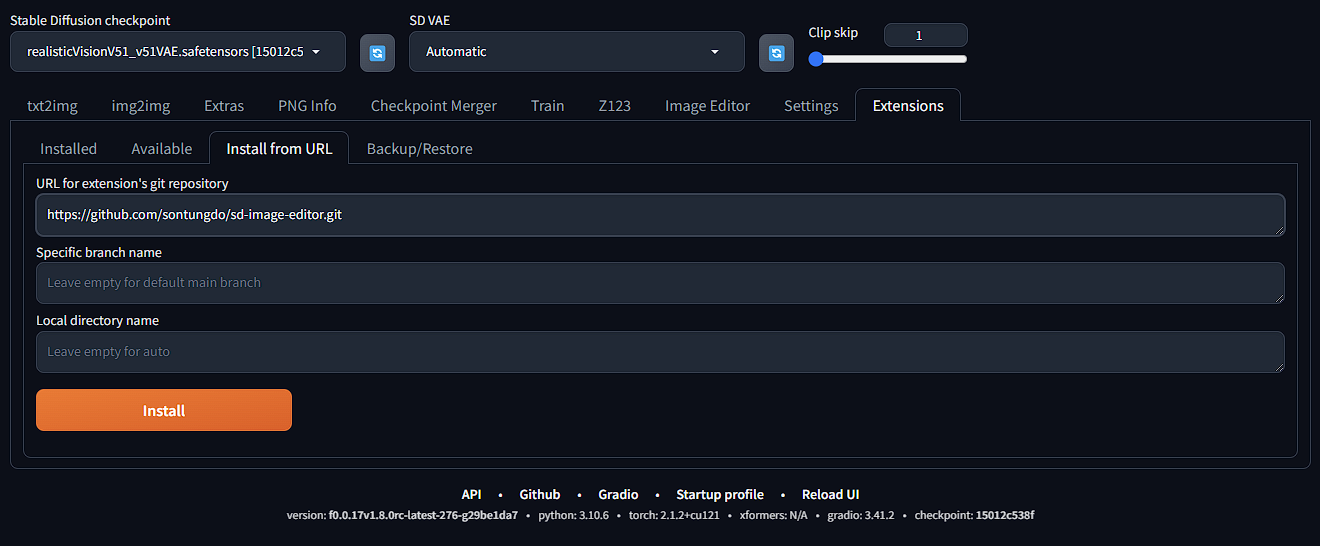
### Install with Github link
1. Go to your Web UI: Extensions -> Install from URL
2. Paste `https://github.com/sontungdo/sd-image-editor.git` in the first box
3. Install
---
## ➡️ Example usage
Crop and adjust color, contrast, brightness

Send result to inpainting

---
## ➡️ Todo list
- [x] Add cropping (built from scratch for Gradio 3)
- [ ] Add send to image editor buttons
- [ ] Add Gradio built in cropping tool (only available once A1111 is upgraded to Gradio 4)
- [ ] Add resize
- [ ] Add more adjust features and filters