- Split path on `\` as well as `/` so Windows-style asset names like
  `C:\Models\loras\foo.safetensors` resolve to `foo`.
- Trim the basename before matching extensions so trailing whitespace
  no longer suppresses the strip (`  model.safetensors  ` → `model`).
- Correct the FallbackPlaceholder story description: separators are
  preserved, only the path prefix and known extension are stripped.

Adds 2 unit cases covering both edge cases.
- Move MODEL_FILE_EXTENSIONS Set to assetMetadataUtils.ts and re-export
  from missingModelScan.ts; the placeholder helper now derives its
  extension match from the single source of truth instead of carrying
  a duplicate regex.
- Introduce a scoped --asset-card-fallback-background token (light:
  smoke-500 #c5c5c5, dark: charcoal-700 #202121) instead of mutating
  the shared --modal-card-placeholder-background. Light value chosen
  so muted-foreground text passes WCAG AA at 14px (~5:1).
- Rename stripModelFilename to formatAssetCardPlaceholderLabel; its
  contract is display-only and the new name keeps callers from reusing
  it in serialized-identifier contexts.
- Mark the placeholder span aria-hidden so screen readers announce the
  card title once instead of both the stripped overlay and the full h3.
Move the placeholder-name helper out of AssetCard.vue and into
assetMetadataUtils.ts alongside the other display-name helpers, and add
unit coverage. Also guards two edge cases that previously short-circuited
to an empty placeholder caption:

- A name ending in `/` now falls back to the preceding path segment
  rather than the empty string returned by split/pop.
- A name that is purely an extension (e.g. `.safetensors`) is kept
  verbatim instead of being eaten by the extension regex.
Replace the silver gradient placeholder shown when a model has no preview
image with a neutral dark surface and the stripped filename centered on it,
so cards without thumbnails are informative instead of empty.

Also bumps the dark-mode --modal-card-placeholder-background token one step
darker (charcoal-700) so the placeholder no longer blends with the card's
secondary-background hover state.
## Problem

`checkIsNewUser()` in `useNewUserService` only checked legacy pre-V1
localStorage keys (`workflow`, `Comfy.PreviousWorkflow`) to determine if
a user had prior workflow history. A returning user who had only ever
used the V1 or V2 draft persistence system would have neither of those
keys set, causing `isNewUser()` to return `true` and the getting-started
tab to appear in the workflow templates dialog after a settings reset.

## Solution

Extend the check to also cover:
- **V1 draft store keys**: `Comfy.Workflow.Drafts`,
`Comfy.Workflow.DraftOrder`
- **V2 draft index key**: `Comfy.Workflow.DraftIndex.v2:personal`

The `personal` scope is hardcoded for the V2 check because at the time
`checkIsNewUser()` runs, the cloud workspace ID (stored in
sessionStorage) may not be set yet. This is fine — any genuine new user
will have no personal workspace index regardless.

The original legacy keys are preserved for users who may still have them
from older installs.

## Tests

Added three new test cases covering V1 draft store keys, V1 draft order
key, and V2 draft index key.

┆Issue is synchronized with this [Notion
page](https://www.notion.so/PR-11728-fix-detect-V1-V2-draft-storage-keys-in-new-user-check-3506d73d3650819ca4cfc8e83d95c258)
by [Unito](https://www.unito.io)

---------

Co-authored-by: Connor Byrne <c.byrne@comfy.org>
*PR Created by the Glary-Bot Agent*
---
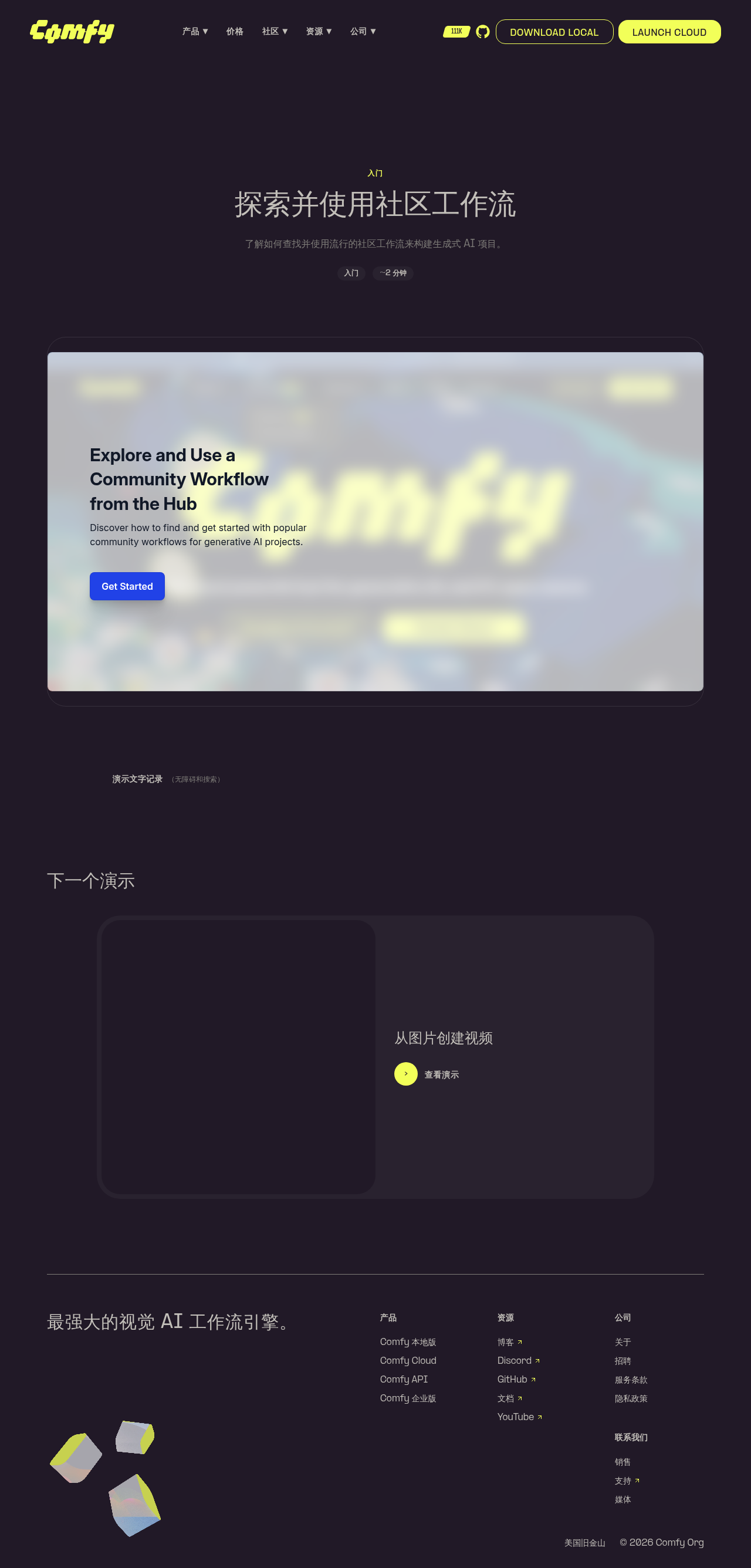
Adds a new interactive demo page at
`comfy.org/demos/community-workflows` for the [Explore and Use a
Community Workflow from the
Hub](https://app.arcade.software/flows/mqZh17oWDuWIyhK0xwEV/view) Arcade
walkthrough.
Built on top of the demo infrastructure merged in #11436.
## Changes
- `apps/website/src/config/demos.ts` — register the new demo
- `apps/website/src/i18n/translations.ts` — add en + zh-CN strings
(title, description, transcript)
- `apps/website/public/images/demos/community-workflows-og.png` —
1200×630 OG image so email/social previews render correctly
- `apps/website/public/images/demos/community-workflows-thumb.webp` —
1280×720 WebP thumbnail
- `apps/website/e2e/demos.spec.ts` — refactored to iterate `demos` from
config so every demo (current + future) is exercised in both en and
zh-CN, and the iframe `src` is asserted to contain the correct Arcade ID
Adding a new demo only requires editing `demos.ts` + `translations.ts`
going forward; the e2e refactor is a one-time generalization that gives
future demos coverage automatically.
## Verification
- `pnpm typecheck:website`: 0 errors, 0 warnings, 0 hints
- Pre-commit hook ran `pnpm typecheck`, `oxfmt`, `oxlint`, `eslint` —
all clean on staged files
- `npx astro build`: 53 pages built; `/demos/community-workflows/` and
`/zh-CN/demos/community-workflows/` generated and present in
`sitemap-0.xml`
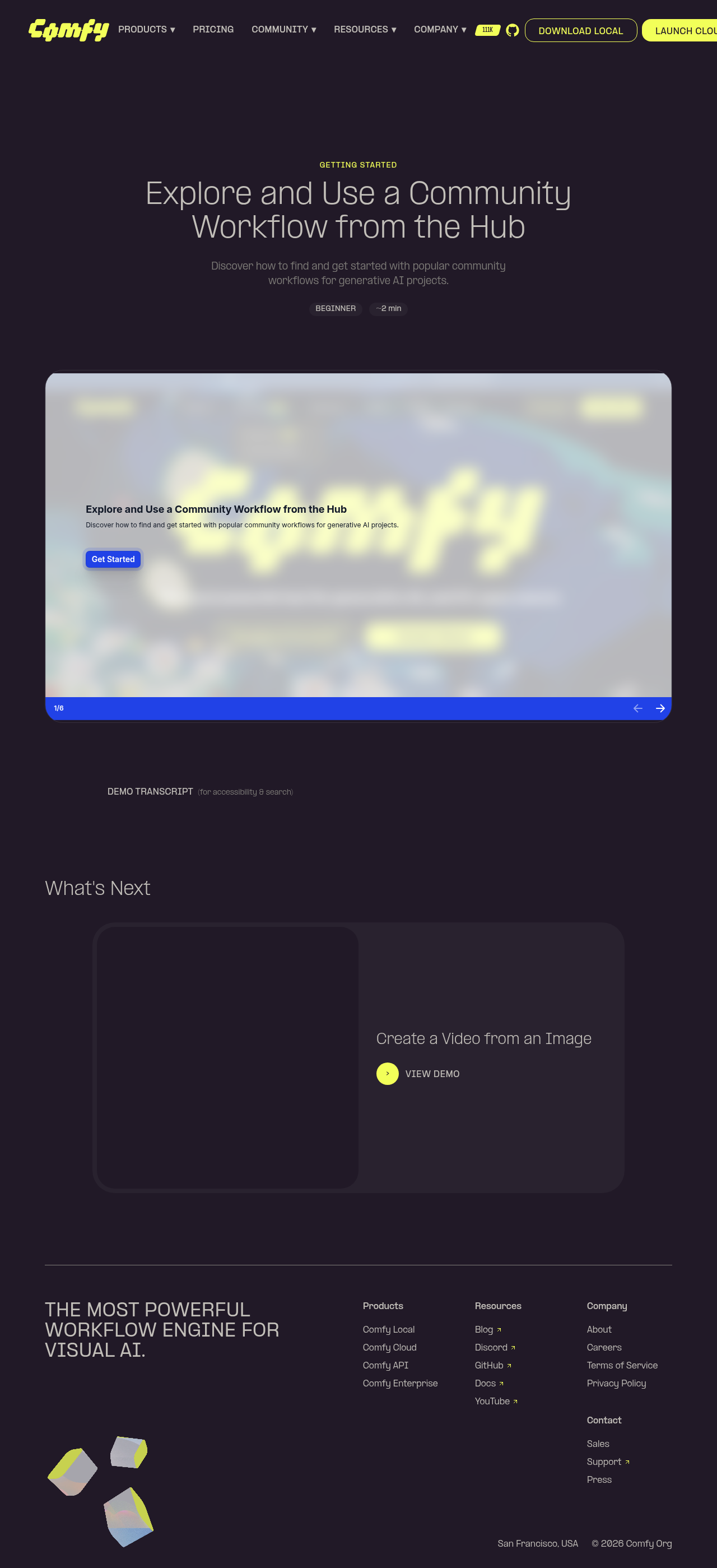
- Page rendered in Playwright preview: hero (title, GETTING STARTED,
BEGINNER, ~2 min), Arcade embed loads, transcript section present,
"What's Next" links to `image-to-video`
- zh-CN page shows localized title (探索并使用社区工作流), description, badges,
and "What's Next" heading
- OG meta tag references the new 1200×630 PNG
## Screenshots
┆Issue is synchronized with this [Notion
page](https://www.notion.so/PR-11942-feat-website-add-community-workflows-demo-page-3576d73d36508139b647c774b1d39323)
by [Unito](https://www.unito.io)
---------
Co-authored-by: Glary-Bot <glary-bot@users.noreply.github.com>
## Automated Ingest API Type Update

This PR updates the Ingest API TypeScript types and Zod schemas from the
latest cloud OpenAPI specification.

- Cloud commit: 0a03f3a
- Generated using @hey-api/openapi-ts with Zod plugin

These types cover cloud-only endpoints (workspaces, billing, secrets,
assets, tasks, etc.).
Overlapping endpoints shared with the local ComfyUI Python backend are
excluded.

---------

Co-authored-by: MillerMedia <7741082+MillerMedia@users.noreply.github.com>
Co-authored-by: GitHub Action <action@github.com>
*PR Created by the Glary-Bot Agent*
---
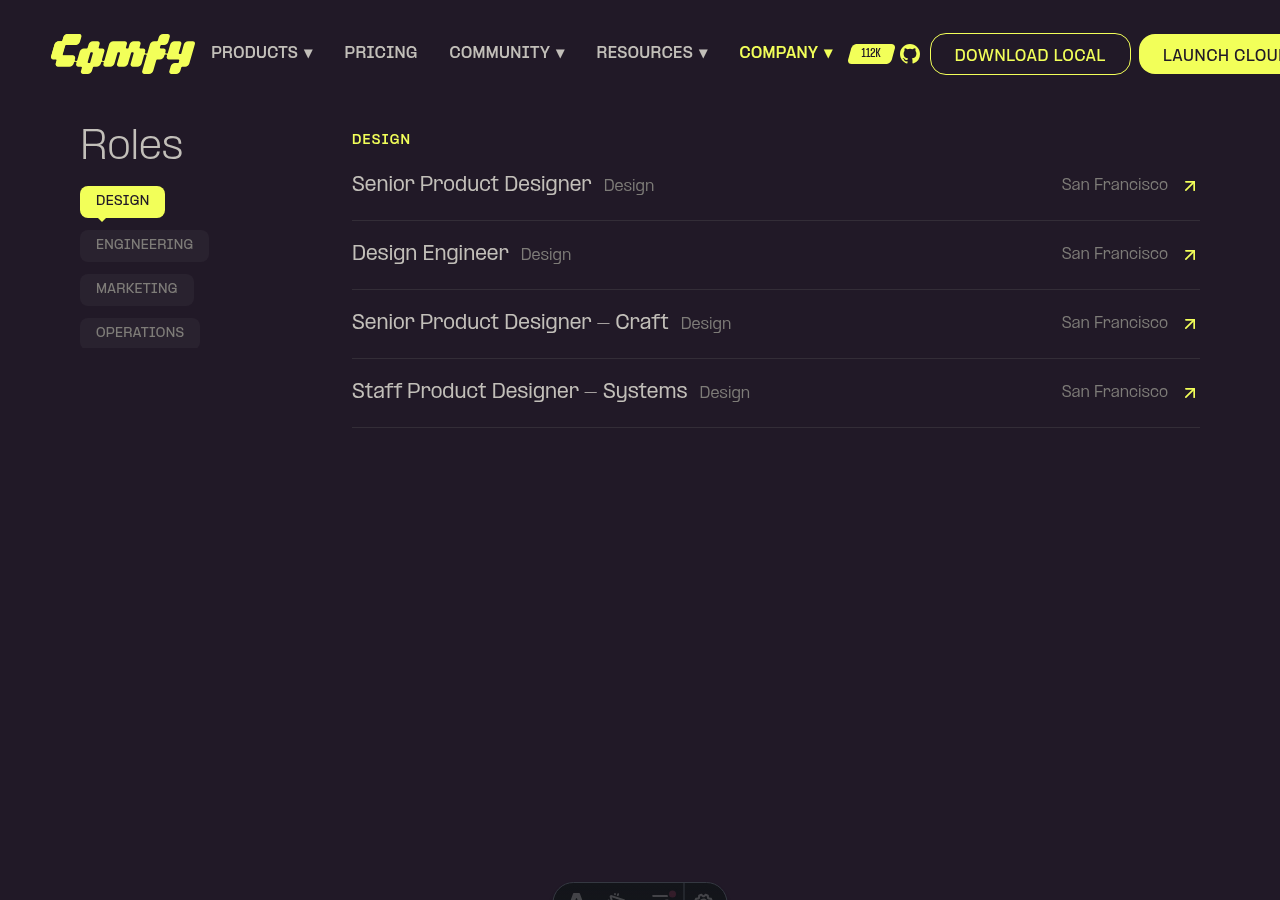
Converts the `CategoryNav` in the careers `RolesSection` from a
click-to-filter button into a scroll-spy section locator, matching the
pattern already used by `ContentSection.vue` (customer story details,
TOS, privacy policy).
## Changes
- **`apps/website/src/components/careers/RolesSection.vue`**
- Replaced category-based filtering with anchor navigation: clicking a
department in the sidebar smooth-scrolls (via existing Lenis/GSAP
`scrollTo` helper) to that department's section with a `-144px` header
offset.
- Removed the `ALL` button — every department is always rendered as its
own scroll target with `id="careers-dept-{key}"`.
- Added `useIntersectionObserver` (rootMargin `-20% 0px -60% 0px`) that
updates the active nav item as the user scrolls. An `isScrolling` guard
prevents the observer from fighting click-jumps mid-animation.
- Added a viewport-entry fade/slide-up animation on each department
section, gated by `motion-safe:` so users with `prefers-reduced-motion`
see content immediately. The reveal state is sticky (one-way) so
sections don't disappear once revealed.
- Active state is driven by raw department keys; both the nav model and
the observer's id-to-key mapping use a single consistent identifier.
- **`apps/website/e2e/careers.spec.ts`**
- Replaced the obsolete "ENGINEERING filter narrows the list" test with
one that validates locator behavior: clicking the department button
scrolls the section into the viewport, sets `aria-pressed="true"`, and
keeps the full role list rendered.
## Verification
- `pnpm --filter @comfyorg/website typecheck` — clean.
- `pnpm exec oxfmt` / `pnpm exec eslint` / `pnpm exec oxlint` — clean.
- Pre-commit lint-staged hooks (stylelint, oxfmt, oxlint, eslint,
typecheck) — passing.
- Manual smoke test via Playwright on `astro dev`: careers page renders
all departments stacked vertically, active department in the sidebar
highlights based on viewport position (DESIGN active on initial scroll),
nav items reflect each department instead of including an `ALL` button.
## Screenshots
┆Issue is synchronized with this [Notion
page](https://www.notion.so/PR-12110-feat-convert-careers-CategoryNav-to-scroll-spy-locator-35b6d73d3650818a9226e5dcb1244756)
by [Unito](https://www.unito.io)
---------
Co-authored-by: Glary <glary@bot.local>
## Summary

`.m4v` and `.mkv` files render as a generic file icon in the assets
sidebar instead of a video preview because `VIDEO_EXTENSIONS` doesn't
list them, even though both formats are widely produced by ComfyUI
custom nodes and are browser-playable when written with common codecs.

## Changes

- **What**: Add `m4v` and `mkv` to `VIDEO_EXTENSIONS` in
`packages/shared-frontend-utils/src/formatUtil.ts` and extend the
existing test cases. Aligns with ComfyUI core's canonical video
extension list
(`tests-unit/folder_paths_test/filter_by_content_types_test.py:13`),
which includes both. The frontend's format registry at
`src/platform/workflow/core/types/formats.ts` also lists `.m4v` with
mime `video/x-m4v` — `formatUtil.ts` was the inconsistent surface.
- **Breaking**: None.
- **Dependencies**: None.

## Review Focus

`m4v` is Apple's MP4 container variant; `mkv` is the Matroska container.
ComfyUI custom nodes most commonly produce both with H.264/VP9 codecs,
which play natively in modern browsers via `<video>`. Adding the
extensions routes those files through the existing `MediaVideoTop`
component without any new rendering logic.

If a user's `.mkv` happens to use an exotic codec the browser can't play
(e.g. H.265/HEVC in Chrome), they get the same controllable failure mode
as today's `.avi` entries — a `<video>` element with the browser's
native unsupported-source UI. That is no worse than the current "show a
generic file icon" behavior, and strictly better in the common case.

## Screenshots (if applicable)

> **Note**: Screenshots taken from the OSS *input* assets sidebar with
[#12086](https://github.com/Comfy-Org/ComfyUI_frontend/pull/12086) also
applied locally. That PR fixes a separate regression where OSS input
filenames carry a `[input]` annotation suffix that breaks all
extension-based media detection — without it, `m4v`/`mkv` files (and
every other file in that sidebar) still render as the generic icon. This
PR alone is sufficient for cloud assets and OSS output history; the
input-sidebar previews require both PRs.

Before:
<img width="1197" height="714" alt="2026-05-09-031123_hyprshot"
src="https://github.com/user-attachments/assets/5c6ebc2d-aac2-411f-a2e4-51a111033184"
/>

After:
<img width="1042" height="723" alt="2026-05-09-031005_hyprshot"
src="https://github.com/user-attachments/assets/f0acc2cf-8571-4fd0-b0cd-2b8b87ff9b74"
/>
*PR Created by the Glary-Bot Agent*

---

## Summary

Fixes the bug where the last badge in `ContentSection`'s sticky sidebar
nav stays unhighlighted when the user scrolls to the very bottom of the
page on tall viewports (reported on a 14" MacBook M4 Pro at 3024×1964 /
2016×1310 logical, both Chrome and Safari).

## Root cause

The scroll-spy uses an IntersectionObserver with `rootMargin: '-20% 0px
-60% 0px'`, which makes only a 20%–40% horizontal band from the viewport
top "active". When multiple intersecting entries are reported, the
callback picks the one whose `boundingClientRect.top` is smallest
(highest up on screen).

On tall viewports, when the page is scrolled to the absolute bottom, the
last *and* the second-to-last sections frequently both sit inside that
20%–40% band at the same time. The "smallest top" tiebreak then selects
the second-to-last section, leaving the last badge inactive even though
the user has reached the end of the page.

## Fix

`apps/website/src/components/common/ContentSection.vue`:

1. Add `isAtBottom()` — true when the viewport bottom has reached the
document bottom (within 4px to absorb sub-pixel rounding).
2. The IntersectionObserver callback bails out when `isAtBottom()` so it
cannot overwrite the choice below.
3. A passive `scroll` listener (and a one-shot `onMounted` call) sets
`activeSection` to the last section whenever the page is at the bottom —
including when the component mounts already at the bottom (e.g. hash
navigation to a trailing anchor, restored scroll position, or a page
shorter than the viewport).
4. Both the scroll handler and the IO callback honor the existing
`isScrolling` flag, so click-driven smooth scroll-to-section behavior is
unchanged.

## Verification

Reproduced the bug at viewport 2016×1310 (14" M4 Pro "More Space" mode)
on `/privacy-policy`:

- Before fix: at absolute bottom, IntersectionObserver picks
`australian-privacy` (second-to-last) — bug confirmed via DOM inspection
that showed multiple sections intersecting the active band, with the
second-to-last winning the "smallest top" tiebreak.
- After fix:
  - Scrolled to bottom → last badge `CONTACT` is active.
  - Scrolled to top → first badge `INTRO` is active.
  - Scrolled mid-page → correct mid-section is active.
  - Click on a badge → smooth scrolls and that badge becomes active.
- Initial render at bottom (loaded `/privacy-policy#contact`, browser
scrolls to the bottom on mount) → `CONTACT` active immediately.

`pnpm typecheck` and `pnpm typecheck:website` pass; `pnpm lint` reports
0 errors; existing website unit tests pass.

Note: The website app currently has no Vue component test setup
(`vitest.config.ts` is configured for `node` env, no DOM). Adding
component tests for this scroll-spy interaction would require setting up
`happy-dom` and `@testing-library/vue` for the website app, which is out
of scope for this bug fix.

Fixes FE-604

┆Issue is synchronized with this [Notion
page](https://www.notion.so/PR-12057-FE-604-fix-website-activate-last-section-badge-when-scrolled-to-bottom-3596d73d365081faa243f4dd8e6ee54a)
by [Unito](https://www.unito.io)

---------

Co-authored-by: Glary-Bot <glary-bot@users.noreply.github.com>
## Summary

When an image fails to load in the image preview, the context buttons
are still visible - clicking these does not work (Mask editor opens and
closes, download does nothing) - this hides the buttons if load fails.

## Changes

- **What**:
- hide buttons if load failed
- tests

## Review Focus

<!-- Critical design decisions or edge cases that need attention -->

<!-- If this PR fixes an issue, uncomment and update the line below -->
<!-- Fixes #ISSUE_NUMBER -->

## Screenshots (if applicable)
Current:
<img width="622" height="857" alt="image"
src="https://github.com/user-attachments/assets/26e391a0-5538-4c6c-ac8a-b6f2b6acabae"
/>

┆Issue is synchronized with this [Notion
page](https://www.notion.so/PR-12136-fix-hide-image-buttons-if-load-failed-35d6d73d365081579c71f1849b9ab1bd)
by [Unito](https://www.unito.io)
## Summary

After deleting an asset, the Load Image node kept displaying the deleted
thumbnail — both in the node body and in the picker dropdown (All /
Imported / Generated tabs), even after a workflow reload.

- Fixes FE-230
- Source: Slack
https://comfy-organization.slack.com/archives/C0A4XMHANP3/p1776715727656809

## Root Cause

Three distinct paths kept the deleted asset visible:

1. **Node-body preview cache** — `useMediaAssetActions.deleteAssets`
never cleared `node.imgs` / `node.videoContainer` / the
`nodeOutputStore` Vue ref, so the canvas renderer kept its cached frame.
2. **Live-delete dropdown gap** — the picker reads from
`outputMediaAssets.media` (the asset list) and from
`missingMediaStore.missingMediaCandidates` (verified-missing names). On
live delete, neither was updated for the deleted asset, so the dropdown
filter had nothing to drop.
3. **Synthetic "selected" placeholder** —
`useWidgetSelectItems.missingValueItem` rebuilt any orphaned
`modelValue` as a fake item with a `/api/view?filename=...` preview URL.
Browsers had cached that URL pre-delete, so the deleted thumbnail still
rendered with a blue checkmark even after the filter dropped the real
asset entry.

A subtler issue compounded #2/#3: candidate names stored in
`missingMediaStore` are raw widget values (e.g. `sub/foo.png [output]`),
but the dropdown computed comparison keys differently per source (asset
list uses bare `asset.name`, widget option list uses bare filename).
Names with a subfolder prefix slipped through the filter.

## Fix

- **`clearNodePreviewCacheForFilenames`** (existing helper, refactored):
exports `findNodesReferencingFilenames` +
`extractFilenameFromWidgetValue`. Uses
`nodeOutputStore.removeNodeOutputs` so the **reactive** Pinia ref
updates, not just the legacy `app.nodeOutputs` mirror. Also clears
`node.videoContainer` for Load Video.
- **`markDeletedAssetsAsMissingMedia`** (new): on successful deletion,
surfaces the affected widgets through `missingMediaStore` immediately so
the dropdown filter has something to drop without waiting for
verification.
- **`useMissingMediaPreviewSync`** (new): watches `missingMediaStore`
and clears `node.imgs` / `node.videoContainer` / Vue preview source for
nodes referencing confirmed-missing media on workflow load — covers the
post-reload case.
- **`useWidgetSelectItems`**: normalizes both sides of the missing-media
filter via `extractFilenameFromWidgetValue` (strips
`[input|output|temp]` annotation + subfolder prefix), and suppresses
`missingValueItem` when the value is in the missing-media store so the
cached-thumbnail "selected" placeholder doesn't appear.

## Red-Green Verification

| Commit | CI Status | Run |
|--------|-----------|-----|
| `test: FE-230 add failing test for Load Image preview cache clearing`
| 🔴 Failure — test caught the bug |
https://github.com/Comfy-Org/ComfyUI_frontend/actions/runs/24700188700 |
| `fix: FE-230 clear Load Image preview cache when asset is deleted` |
🟢 Success |
https://github.com/Comfy-Org/ComfyUI_frontend/actions/runs/24700265884 |

## Test Plan

- [x] Unit coverage: 78 tests across 5 files (preview-cache helper,
mark-deleted-as-missing, missing-media-preview-sync, widget-select-items
missing-media filter incl. subfolder-prefix case, useMediaAssetActions
integration)
- [x] Live delete: Load Image node preview clears, dropdown drops the
asset across All / Imported / Generated, no synthetic "selected"
placeholder
- [x] Post-reload: missing-media verification →
`useMissingMediaPreviewSync` clears the preview, dropdown drops the
asset
- [x] Linear FE-230 auto-links via the Source line

## Scope note

In-session and session-restore are both covered. If the backend/CDN
continues serving the deleted `filename`/`asset_hash` after deletion, a
cross-session reopen may still render stale bytes from cache — that's a
backend/CDN concern tracked separately.


## demo

### before


https://github.com/user-attachments/assets/e4d3a40e-0d46-43ad-985c-22ce7e0d3faf


### after


https://github.com/user-attachments/assets/fcac9387-4c07-4be2-bcdd-d1a6192fe962
## Summary
Remove the module-level `reportedInactiveCalls: Set<string>` and the
early-return dedup check from `reportInactiveTrackerCall()` in
`src/scripts/changeTracker.ts`. Every invocation now emits
`console.warn` and (on Desktop) `Sentry.captureMessage` unconditionally.
## Why
The dedup was added in #11328 but is unnecessary:
- Every first-party call site already goes through the
`activeWorkflow?.changeTracker` guard, so flooding from in-repo code is
unlikely.
- Repeated identical alerts may actually provide more diagnostic signal
than the first-only approach suppresses.
## Changes
- Drop `reportedInactiveCalls` Set
- Drop the per-`(method, workflowPath)` early-return
- Trim the JSDoc accordingly
No behavior change for callers (`deactivate`, `captureCanvasState`);
only the reporting frequency increases.
## Verification
- `pnpm test:unit -- src/scripts/changeTracker.test.ts` — 16/16 passing
- `pnpm typecheck` — clean
- ESLint / oxfmt — clean
- Fixes#11372
┆Issue is synchronized with this [Notion
page](https://www.notion.so/PR-11833-refactor-remove-dedup-complexity-from-reportInactiveTrackerCall-3546d73d365081fabf57cbf1fa17051f)
by [Unito](https://www.unito.io)
## Summary
Replace `nodeId: string` with canonical `NodeId` type in right-side
panel parameters tab components, eliminating redundant `String()`
conversions at call sites.
## Changes
- `TabNodes.vue`: `isSectionCollapsed` and `setSectionCollapsed` now
accept `NodeId` instead of `string`; callers updated to pass `node.id`
directly (removing `String()` wrapping)
- `TabNormalInputs.vue`: same pattern
## Notes
The other 6 files listed in the issue use `nodeId` parameters that carry
execution IDs (`NodeExecutionId = string`), not graph node IDs (`NodeId
= number | string`). Changing those to `NodeId` would be semantically
incorrect. The two files changed here are the clear-cut cases where
`node.id` (a `NodeId`) was being unnecessarily stringified before being
passed.
## Testing
### Automated
- `pnpm typecheck` — passes
- `pnpm lint` — passes (0 warnings, 0 errors)
- `pnpm format:check` — passes
### E2E Verification Steps
1. Open ComfyUI frontend
2. Load a workflow with multiple nodes
3. Open the right side panel (Parameters tab)
4. Verify node sections collapse/expand correctly per node
5. Verify "Collapse All" / "Expand All" toggle works correctly
6. Repeat with both TabNodes and TabNormalInputs views
Fixes#11843
┆Issue is synchronized with this [Notion
page](https://www.notion.so/PR-12014-chore-11843-replace-bare-string-NodeId-typings-in-parameters-tab-components-3586d73d365081ed84caf560277f0553)
by [Unito](https://www.unito.io)
## Summary

This PR fixes missing-media false positives for annotated media widget
values such as:

```txt
photo.png [output]
clip.mp4 [input]
147257c95a3e957e0deee73a077cfec89da2d906dd086ca70a2b0c897a9591d6e.png [output]
clip.mp4[input]  // Cloud compact form
```

The change is intentionally scoped to the missing-media detection
pipeline for:

- `LoadImage`
- `LoadImageMask`
- `LoadVideo`
- `LoadAudio`

It preserves the raw widget value on `MissingMediaCandidate.name` for UI
display, grouping, replacement, and user-facing missing-media rows.
Normalized values are used only as comparison keys during verification.

## Diff Size

`main...HEAD` line diff is currently:

- Production/runtime code: `+478 / -37` (`515` changed lines)
- Unit test code: `+960 / -47` (`1,007` changed lines)
- Total: `+1,438 / -84` (`1,522` changed lines)

The PR looks large mostly because it locks both Cloud and OSS/Core
runtime paths with unit coverage; the production/runtime change is about
one third of the total diff.

## What Changed

- Added missing-media-scoped annotation helpers for detection-only path
normalization.
  - Core/OSS recognizes spaced suffixes like `file.png [output]`.
  - Cloud also recognizes compact suffixes like `file.png[output]`.
- User-selectable trailing `input` and `output` annotations are
normalized for matching.
- Unknown annotations and middle-of-filename annotations are left
unchanged.
- Added shared file-path helpers in `formatUtil`:
  - `joinFilePath(subfolder, filename)`
  - `getFilePathSeparatorVariants(filepath)`
- Updated media verification to compare candidates against both raw and
normalized match keys.
- Kept input candidates and generated output candidates in separate
identifier sets so an input asset cannot accidentally satisfy an output
reference with the same name.
- Moved missing-media source loading into `missingMediaAssetResolver` so
`missingMediaScan` remains focused on scan/verification orchestration.
- Updated Cloud generated-media verification to use the Cloud assets API
instead of job history:
  - Cloud input candidates use input/public assets.
  - Cloud output candidates use `output` tagged assets.
- Kept OSS/Core generated-media verification history-based, matching the
current generated-picker/widget availability model.

## Runtime Verification Paths

### Cloud

Cloud stores generated outputs as asset records. For an annotated output
value, this PR verifies against the `output` asset tag rather than job
history.

```txt
Widget value
  "147257...d6e.png [output]"
        |
        v
Detection keys
  "147257...d6e.png [output]"
  "147257...d6e.png"
        |
        v
Cloud asset sources
  input candidates  -> /api/assets?include_tags=input&include_public=true
  output candidates -> /api/assets?include_tags=output&include_public=true
        |
        v
Match against
  asset.name
  asset.asset_hash
  subfolder/asset.name
  subfolder/asset.asset_hash
  slash and backslash separator variants
```

Example:

```ts
candidate.name = 'abc123.png [output]'
asset.name = 'ComfyUI_00001_.png'
asset.asset_hash = 'abc123.png'
asset.tags = ['output']

// Result: not missing
```

### OSS / Core

Core widget options for the normal loader nodes are input-folder based.
Annotated output values are resolved by Core through
`folder_paths.get_annotated_filepath()`, but the current generated
picker path is history-backed. This PR keeps OSS generated verification
aligned with that widget availability model instead of treating the full
output folder as the source of truth.

```txt
Widget value
  "subfolder/photo.png [output]"
        |
        v
Detection keys
  "subfolder/photo.png [output]"
  "subfolder/photo.png"
        |
        v
OSS generated source
  fetchHistoryPage(...)
        |
        v
History preview_output
  filename: "photo.png"
  subfolder: "subfolder"
        |
        v
Generated match keys
  "subfolder/photo.png"
  "subfolder\\photo.png"
```

This means OSS/Core verification is about whether the generated media is
currently available through the same generated/history-backed path the
widget uses, not a full disk-level executability check across the entire
output directory.

## Why Not Consolidate All Annotated Path Parsers

There are existing annotated-path parsers in image widget, Load3D, and
path creation code. This PR does not replace them.

The helper added here is detection-only: it strips annotations to build
comparison keys for missing-media verification. Parser consolidation
across widget implementations is intentionally left out of scope to keep
this fix narrow.

## Known Follow-Ups / Out Of Scope

- FE-620 tracks the separate video drag-and-drop upload race between
upload completion and missing-media detection.
- Published/shared workflow assets are still not fully represented by
`/api/assets?include_public=true`; that remains a backend/API contract
issue.
- A future backend/API contract that answers “is this workflow media
executable?” would be preferable to stitching together runtime-specific
FE sources.
- OSS/Core full output-folder scanning via `/internal/files/output` was
considered, but that endpoint is internal, shallow (`os.scandir`), and
not the same source currently used by the generated picker flow.

## Validation

- `pnpm test:unit -- missingMediaAssetResolver missingMediaScan
mediaPathDetectionUtil formatUtil`
- touched files `oxfmt`
- touched files `oxlint --fix`
- touched files `eslint --cache --fix --no-warn-ignored`
- `pnpm typecheck`
- pre-commit `pnpm knip --cache`
- pre-push `pnpm knip --cache`

`knip` passes with the existing tag hint:

```txt
Unused tag in src/scripts/metadata/flac.ts: getFromFlacBuffer → @knipIgnoreUnusedButUsedByCustomNodes
```

## Screenshots

Before


https://github.com/user-attachments/assets/50eab565-3160-4a57-a758-87ec2c09071e


After


https://github.com/user-attachments/assets/08adcbbd-c3fc-43f9-b86c-327e4eb5abd8


┆Issue is synchronized with this [Notion
page](https://www.notion.so/PR-12069-fix-handle-annotated-output-media-paths-in-missing-media-scan-3596d73d365081f4afa3d4dd45cad3da)
by [Unito](https://www.unito.io)
*PR Created by the Glary-Bot Agent*

---

## Summary

Sort the canvas right-click "Add Node" context menu by display name
(case-insensitive, natural numeric). Previously, both category submenus
and leaf nodes appeared in node-registration order, making the menu hard
to scan for users browsing for nodes.

This change is scoped specifically to the **smaller right-click
contextual menu**. It does NOT affect the double-click search menu or
the left-side Nodes panel.

## Changes

- `src/lib/litegraph/src/LGraphCanvas.ts` — In `onMenuAdd` →
`inner_onMenuAdded`, sort the deduplicated category submenu entries and
the leaf-node entries by `content` using `localeCompare` with `{
numeric: true, sensitivity: 'base' }`. Categories still appear before
leaf nodes within a level (preserves existing UX).
- `src/lib/litegraph/src/LGraphCanvas.onMenuAdd.test.ts` — New unit
tests that mock `LiteGraph.ContextMenu` and assert: case-insensitive
sort, natural numeric ordering (`Cat1`, `Cat2`, `Cat10`), leaf-node
sorting inside a category, and category-before-leaf placement.

## Verification

- `pnpm vitest run src/lib/litegraph/src/LGraphCanvas.onMenuAdd.test.ts`
— 4/4 pass
- `pnpm typecheck` — clean (ran via pre-commit hook on initial commit)
- `oxfmt` / `oxlint` / `eslint` — clean
- Oracle review against `main` returned 0 critical / 1 warning (test
coverage) / 1 suggestion (numeric sort) — both addressed in this PR.

## Notes

- The sort is applied at the menu-build site rather than inside
`LiteGraphGlobal.getNodeTypesCategories`/`getNodeTypesInCategory` to
keep the change scoped to the menu UX and avoid changing the iteration
order seen by extensions that consume those public methods.
- Per user request, this is opening as a draft PR for self-review +
CodeRabbit feedback in a single follow-up pass; manual browser
verification (right-click screenshots) was deferred to that pass.
- Slack thread context: user reported the contextual menu is "a mess"
for discovering native nodes; alphabetical sorting addresses the
discoverability problem without touching the search-oriented menus.

┆Issue is synchronized with this [Notion
page](https://www.notion.so/PR-12039-feat-sort-right-click-context-menu-categories-alphabetically-3596d73d36508107a87ffec1c353994e)
by [Unito](https://www.unito.io)

---------

Co-authored-by: Glary-Bot <glary-bot@users.noreply.github.com>
Co-authored-by: Alexis Rolland <alexis@comfy.org>
## Summary

Imported assets render as a generic check-check icon instead of a
thumbnail because the OSS `/internal/files/{type}` endpoint returns
annotated filenames (`photo.png [input]`) that the assets-sidebar mapper
passes through verbatim, which breaks extension-based media-type
detection.

## Changes

- **What**: Strip ComfyUI's trailing directory-type annotation (`
[input]`, ` [output]`, `[temp]`) in `mapInputFileToAssetItem` so `name`,
`id`, and the generated `/view?filename=…` URL all use the canonical
on-disk filename. Adds a focused unit test.
- **Breaking**: None.
- **Dependencies**: None.

## Review Focus

### Root cause

ComfyUI core PR
[comfyanonymous/ComfyUI#13078](https://github.com/comfyanonymous/ComfyUI/pull/13078)
(April 2026) changed `/internal/files/{type}` to append the directory
type to each entry:

```python
# api_server/routes/internal/internal_routes.py
return web.json_response(
    [f"{entry.name} [{directory_type}]" for entry in sorted_files], status=200
)
```

The annotation is the wire format `LoadImage`-style widgets expect, so
the backend change is correct. The assets-sidebar mapper treated the
response strings as raw filenames. After
[#8914](https://github.com/Comfy-Org/ComfyUI_frontend/pull/8914) changed
`getMediaTypeFromFilename` to default unknown extensions to `'other'`,
every input asset now routes to `MediaOtherTop` and renders as
`icon-[lucide--check-check]`:

```
getMediaTypeFromFilename("photo.png [input]").split('.').pop() === "png [input]" → 'other'
```

The strip happens at data ingestion so every consumer of
`AssetItem.name` (sidebar grid, list, filter, gallery, drag-drop,
delete) gets the canonical filename automatically. OSS-only — Cloud
paths get clean names from the cloud API and are unaffected.

Reproduces locally on stock OSS ComfyUI on `main` of both repos; no
public issue tracker entry.

## Screenshots (if applicable)
Before:
<img width="1091" height="718" alt="image"
src="https://github.com/user-attachments/assets/ff1f070d-da39-4e5a-bc6d-99b7214f7da8"
/>

After:
<img width="1089" height="716" alt="image"
src="https://github.com/user-attachments/assets/7123d9bf-f7dd-4430-b6f7-f6702b70baaa"
/>


┆Issue is synchronized with this [Notion
page](https://www.notion.so/PR-12086-fix-assets-strip-directory-annotation-from-input-filenames-35a6d73d365081e9b9eed7d8630d6f0b)
by [Unito](https://www.unito.io)
*PR Created by the Glary-Bot Agent*
---
## Summary
Disable the `UltralyticsDetectorProvider` model-to-node mapping so the
node falls back to the static combo populated from `/api/object_info`,
restoring pre-#8468 behavior on cloud.
## Why
PR #8468 opted `UltralyticsDetectorProvider` into the cloud asset-widget
path, which exposed a latent mismatch in cloud asset metadata for
nested-directory model folders. The bug has two independent halves, and
a fix that addresses only one will still leave the workflow broken at
execution time:
- **Tag lookup mismatch.** Cloud stores tags as combined values like
`ultralytics/bbox`, while the asset query asks for split tags (`models`
+ `ultralytics`) with exact-match filtering — so the dropdown returns no
results.
- **Submitted value mismatch.** Cloud stores filenames as basenames, but
the node expects subdirectory-prefixed values (e.g.
`bbox/face_yolov8m.pt`) that the static combo path normally produces.
Both halves require cloud-side fixes (asset ingestion + metadata) before
the asset-browser registration can be safely re-enabled. Until then,
removing the registration restores the working static-combo behavior so
users are unblocked.
## Changes
- `src/platform/assets/mappings/modelNodeMappings.ts`: comment out the
`['ultralytics', 'UltralyticsDetectorProvider', 'model_name']` entry
with a note pointing at BE-689 and the re-enablement criteria.
- `src/stores/modelToNodeStore.test.ts`: drop the now-stale ultralytics
expectations from `EXPECTED_DEFAULT_TYPES`, `MOCK_NODE_NAMES`, and the
hierarchical-fallback `it.each` cases.
## Verification
Local quality gates:
- `pnpm typecheck` — clean
- `pnpm lint` — clean (3 pre-existing warnings, 0 errors)
- `pnpm format:check` — clean
- `pnpm knip` — clean (1 pre-existing warning unrelated to this change)
- `pnpm test:unit -- src/stores/modelToNodeStore.test.ts` — 51/51
passing
Manual runtime verification (dev server + Playwright against the live
module):
- `MODEL_NODE_MAPPINGS` no longer contains any entry where `[0] ===
'ultralytics'` or `[1] === 'UltralyticsDetectorProvider'` (84 entries
total, 0 ultralytics).
- `useModelToNodeStore().getNodeProvider('ultralytics')` returns `null`
after `registerDefaults()`, so the asset-widget path is no longer
triggered for this node.
- `getNodeProvider('ultralytics/bbox')` also returns `null`, confirming
hierarchical fallback no longer resolves to the disabled mapping.
- `getNodeProvider('checkpoints')` still resolves to
`CheckpointLoaderSimple`, confirming unrelated mappings are intact.
End-to-end cloud verification (actually exercising the asset-browser
path against cloud-seeded ultralytics metadata) is not possible in the
local sandbox, since the regression depends on the cloud's asset
ingestion data shape. The change is a single mapping-table removal that
reverts to the well-exercised static-combo path covered by the updated
unit tests.
Long-term cloud-side fix is tracked in BE-689.
- Fixes BE-689
## Screenshots
┆Issue is synchronized with this [Notion
page](https://www.notion.so/PR-12075-fix-disable-ultralytics-asset-browser-registration-35a6d73d36508179b394f0915e69742e)
by [Unito](https://www.unito.io)
Co-authored-by: Glary-Bot <glary-bot@users.noreply.github.com>
## Summary

The help icon (lucide circle-help) next to the credits balance in the
cloud user popover was a bare `<i>` with `v-tooltip` and `cursor-help`.
PrimeVue tooltip on a bare `<i>` did not fire reliably and the icon had
no focus/keyboard semantics, so users saw "no hover action and not
clickable".

Wrap the icon in `<Button variant="muted-textonly" size="icon-sm">`,
matching the existing pattern in `InfoButton.vue` and
`MissingPackGroupRow.vue`. Same change applied to
`CurrentUserPopoverLegacy.vue` and `CurrentUserPopoverWorkspace.vue`,
which shared the broken pattern.

- Fixes FE-617
-
https://comfy-organization.slack.com/archives/C0A4XMHANP3/p1778191473621829

## Red-Green CI Verification

The branch was force-pushed back to the test-only commit so CI could run
against it, then restored to the fix commit.

| Commit | CI: Tests Unit | Outcome |
|--------|---------------|---------|
| `test:` (e7c83abd0) — adds the regression test only |
https://github.com/Comfy-Org/ComfyUI_frontend/actions/runs/25532935842 |
failed — `Unable to find an element by:
[data-testid="credits-info-button"]` |
| `fix:` (64ec4cda4) — wraps the icon in `<Button>` |
https://github.com/Comfy-Org/ComfyUI_frontend/actions/runs/25533224195 |
passed |


<img width="434" height="364" alt="Screenshot 2026-05-08 at 5 32 47 PM"
src="https://github.com/user-attachments/assets/d3088b90-813f-4a0f-ba35-0f040fc79a6a"
/>

## Test Plan

- [x] Component test asserts the icon renders as an interactive
`<button>` with the unified-credits tooltip text as `aria-label`
- [x] Red CI failed with the expected error on the test-only commit
- [x] Green CI passed on the fix commit
- [ ] Manual verification on `pnpm dev:cloud` — hover the help icon next
to the credits balance and confirm the unification tooltip appears
## Summary

The nightly `Release Draft Create` -> `publish_types / Build types` job
has been failing on every run since 1.45.1 ([failed
run](https://github.com/Comfy-Org/ComfyUI_frontend/actions/runs/25531376650)).
Reproduced locally on `main` (`c8c0e5386`).

## Root cause

`pnpm build:types` ends with `FATAL ERROR: Reached heap limit Allocation
failed - JavaScript heap out of memory`. The `vite-plugin-dts` rolled-up
type generation now exceeds Node's default ~4GB heap on the GH runner.
The `TS2742`/`TS4082` warnings printed earlier are non-fatal diagnostics
from the plugin pre-pass — the api-extractor rollup itself completes
once the heap is large enough.

## Fix

Set `NODE_OPTIONS='--max-old-space-size=8192'` in `build:types`,
matching the existing pattern already used by `build` and `build:cloud`
(only one-line change).

## Verification

- `pnpm build:types` exits 0 locally with the change (built in ~40s).
- `dist/index.d.ts` (1.9MB) emitted with the public types intact:
`ComfyExtension`, `ComfyApi`, `ComfyApp`, `ComfyNodeDef`, `InputSpec`,
`DOMWidget`, etc.
- `dist/package.json` correctly produced by `scripts/prepare-types.js`.
- Reverting the change reproduces the OOM crash.

## Test plan

- [ ] Trigger `Release NPM Types` workflow manually (or wait for next
nightly) and confirm `Build types` step succeeds.

┆Issue is synchronized with this [Notion
page](https://www.notion.so/PR-12073-fix-restore-nightly-publish_types-build-35a6d73d3650819e95aecfbd8a66847c)
by [Unito](https://www.unito.io)
## Summary

This PR removes the `/api/assets/hash/:hash` verification path from
missing media/model detection.

I decided to remove this path for two reasons:

1. The Cloud runtime implementation and the OpenAPI/generated FE
contract do not agree on the hash format that this endpoint represents.
In current Cloud data, the dominant asset_hash shape is
<64-hex>.<extension> (for example, abc123....png), while the
OpenAPI/generated FE contract expects a blake3:<hash> style value. That
makes this path either dead code that should never be reached, or, when
it is reached, a request that always returns 400 and only adds
unnecessary noise.

2. Even if the format is reconciled, the Cloud implementation is a
global deduplication-oriented lookup, not an access-aware check for
whether the current workflow can use a resource. In theory, it can
return success for another user's personal asset, so it is the wrong
primitive for missing asset detection.

Because of that, this PR makes the existing asset list/store based
checks the primary verification path and removes the hash-specific
helpers, service method, and tests.

## Known follow-ups

These are known issues that are intentionally not solved in this PR:

1. Published assets are not exposed through
`/api/assets?...include_public=true`. This is a backend issue and can
still cause mismatch between missing-asset detection and resources that
preview/run successfully.
2. Shared workflow import has an ordering issue. The API contract issue
is being hotfixed separately under FE-603.
3. Annotated media paths can still be detected incorrectly.

I will prepare follow-up PRs for these, starting with the annotated
media path issue because that is the most critical frontend-side gap.

## Validation

- `pnpm exec vitest run
src/platform/assets/services/assetService.test.ts
src/platform/missingMedia/missingMediaScan.test.ts
src/platform/missingModel/missingModelScan.test.ts`
- `pnpm lint:unstaged`
- `pnpm typecheck`
- `pnpm knip`

┆Issue is synchronized with this [Notion
page](https://www.notion.so/PR-12061-fix-remove-asset-hash-verification-3596d73d365081a088f8dfc874724c1d)
by [Unito](https://www.unito.io)
*PR Created by the Glary-Bot Agent*
---
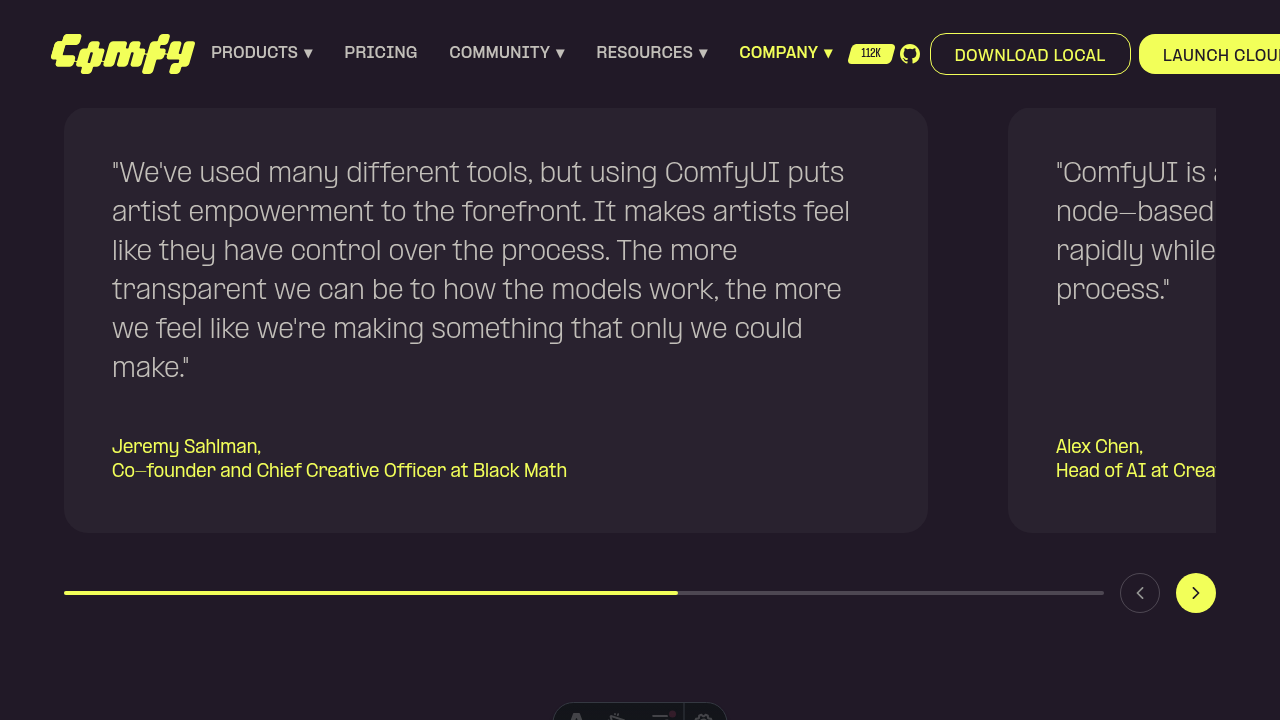
## Summary
The horizontal progress bar in `FeedbackSection.vue` lagged behind the
carousel scroll position because the bar's width was driven reactively
by `useScroll`, but the `transition-all duration-200` utility animated
each width change over 200ms. As scroll continuously emits new target
widths, the bar visibly trailed the scroll position.
Removing the transition makes the bar track scroll synchronously.
## Verification
- Reproduced the lag locally on `/customers`.
- Verified post-fix that `bar.style.width` updates in the same frame as
`scrollLeft` changes (samples at scrollLeft 0 / 944 / 1600 → width 0% /
59% / 100%, with `transitionDuration: 0s`).
- `pnpm exec eslint`, `pnpm exec oxfmt --check`, `pnpm nx typecheck
website`, and `pnpm test:unit` all pass.
## Notes
No regression test added — the customers section components have no
existing unit/E2E coverage in this repo, and standing up a new test
harness for a one-line CSS fix would be disproportionate. Worth
following up on broader carousel coverage as a separate task.
## Screenshot
After fix, scrolled to second slide — progress bar tracks scroll
position synchronously.
## Screenshots
┆Issue is synchronized with this [Notion
page](https://www.notion.so/PR-12059-fix-remove-transition-delay-from-FeedbackSection-progress-bar-3596d73d36508107bc80dc38ea7ab79e)
by [Unito](https://www.unito.io)
Co-authored-by: Glary-Bot <glary-bot@users.noreply.github.com>
*PR Created by the Glary-Bot Agent*
---
## Summary
Fix the video position glitch on `/customers` caused by
`c-projection.webp` loading.
## Root cause
In `HeroSection.vue` the hero `<img>` for `c-projection.webp` had no
`width`/`height` attributes, so the browser reserved no space for it.
When the image finished loading, the layout shifted ~192px, pushing the
`VideoPlayer` below it. `useHeroAnimation` registers a GSAP
`ScrollTrigger` parallax against the video in `onMounted` (before the
image is loaded), so the cached scroll geometry then went stale and the
video visibly glitched.
## Fix
- Add explicit `width="1568"` / `height="1763"` to the `<img>` (the
image's native size) so the browser reserves the correct aspect-ratio'd
space upfront.
- Add `h-auto` so the height attribute doesn't override the responsive
layout.
- Refresh `ScrollTrigger` on the image's `@load` (with `refresh(true)`
so measurements happen after layout has settled) as a defensive measure
for any sub-pixel adjustments.
## Test coverage
Added `apps/website/e2e/customers.spec.ts` with a regression guard that:
1. Asserts the hero `<img>` declares numeric `width`/`height`
attributes.
2. Asserts the unloaded image still reserves vertical space (>100px),
which is the exact property that prevents the video from jumping when
the image finishes loading.
Verified the test fails when the `width`/`height` attributes are removed
and passes with the fix applied.
## Verification
- `pnpm typecheck` clean.
- `pnpm test:unit` (website app) — 30/30 pass.
- `pnpm test:e2e customers.spec.ts --project=desktop` — passes.
- ESLint + oxfmt clean on changed files.
- Manual Playwright verification confirmed the video bounding rect stays
at `top=785, height=628` through the full image load lifecycle.
Reverting the fix in DevTools and re-loading the image reproduces the
original ~192px shift.
## Out of scope
`apps/website/src/components/contact/FormSection.vue` uses the same
`c-projection.webp` pattern (also without `width`/`height`). It runs
`useHeroAnimation` with `parallax: false`, so the symptom is much
smaller — leaving as a follow-up to keep this PR minimal.
- Fixes
[FE-607](https://linear.app/comfyorg/issue/FE-607/bug-video-on-customers-shifts-position-when-c-projectionwebp-finishes)
## Screenshots
┆Issue is synchronized with this [Notion
page](https://www.notion.so/PR-12060-fix-website-prevent-video-glitch-when-c-projection-webp-loads-on-customers-3596d73d365081ebbcb8db25aaa5c451)
by [Unito](https://www.unito.io)
---------
Co-authored-by: Glary-Bot <glary-bot@users.noreply.github.com>
## Summary

Unblock CI due to missing function in mock
```
⎯⎯⎯⎯ Unhandled Rejection ⎯⎯⎯⎯⎯
TypeError: this.load3d.emitModelReady is not a function
 ❯ src/extensions/core/load3d/Load3DConfiguration.ts:313:19
    311|       }
    312|
    313|       this.load3d.emitModelReady()
       |                   ^
    314|     }
    315|   }

This error originated in "src/extensions/core/load3d/Load3DConfiguration.test.ts" test file. It doesn't mean the error was thrown inside the file itself, but while it was running.
The latest test that might've caused the error is "prefers persisted Scene/Camera/Light Config over settings". It might mean one of the following:
- The error was thrown, while Vitest was running this test.
- If the error occurred after the test had been completed, this was the last documented test before it was thrown.
⎯⎯⎯⎯⎯⎯⎯⎯⎯⎯⎯⎯⎯⎯⎯⎯⎯⎯⎯⎯⎯⎯⎯⎯⎯⎯⎯⎯⎯⎯


 Test Files  773 passed (773)
      Tests  10417 passed | 8 skipped (10425)
     Errors  2 errors
   Start at  12:06:06
   Duration  446.79s (transform 32.89s, setup 113.26s, import 589.18s, tests 109.19s, environment 228.45s)
```

## Changes

- **What**:
- add `emitModelReady` fn to mock

┆Issue is synchronized with this [Notion
page](https://www.notion.so/PR-12056-test-add-missing-emitModelReady-to-mock-object-3596d73d36508130a087f5c7713e932f)
by [Unito](https://www.unito.io)
## Summary

Follow-up to #11568 and #11785. Keeps the E2E coverage workflow clean
when `CI: Tests E2E` is intentionally skipped and no coverage shard
artifacts are produced.

## Changes

- Detect whether downloaded E2E coverage shard artifacts contain any
`coverage.lcov` files.
- Treat missing coverage shards as an intentionally skipped coverage run
instead of running lcov, Codecov, or Pages deployment on missing files.

┆Issue is synchronized with this [Notion
page](https://www.notion.so/PR-11575-ci-handle-skipped-e2e-workflow-consumers-34b6d73d3650813f92e1d7d6af0bf958)
by [Unito](https://www.unito.io)
## Summary

Align the asset list pagination schema with generated ingest-types
metadata and remove the now-unneeded missing `has_more` fallback branch.

## Changes

- **What**: Reuse `zListAssetsResponse` for `total` and `has_more`, keep
the local loose `AssetItem` shape, and simplify `getAllAssetsByTag()` to
trust the required `has_more` contract.
- **Breaking**: None.
- **Dependencies**: None.

## Review Focus

This is PR 1 of 4 in the missing asset follow-up stack:

1. This PR - Asset schema / pagination cleanup
2. #11900 - Missing asset hash verification utility cleanup
3. #11901 - Browser regression coverage for public input assets
4. #11902 - TanStack Query public-input cache replacement

The key decision is intentionally narrow: pagination metadata now comes
from generated ingest-types, but asset item validation remains locally
loose to avoid changing UI/store synthetic asset shapes in this PR.
`asset_hash` nullability remains unchanged because absent-vs-null hash
semantics are still a backend/API contract follow-up.

Addresses #11894

## Screenshots (if applicable)

N/A
*PR Created by the Glary-Bot Agent*

---

Adds an entry for the new `SaveImageAdvanced` node to
`public/assets/sorted-custom-node-map.json` with the same frequency stat
(1762) as the existing `SaveImage` node, so the new Save Image node
ranks at the top of search results when typing "save" — matching the
original node's behavior.

Context: the new Save Image node ([Notion
spec](https://www.notion.so/comfy-org/Save-Image-94a77c506ce145fc9b8c477c52091a04))
replaces/deprecates the original `SaveImage`. Search ranking uses the
static node frequency map; the new node had no entry and was therefore
ranked at frequency 0. Mirroring the original's stat is the manual-boost
approach discussed in the thread.

## Changes
- `public/assets/sorted-custom-node-map.json`: add `"SaveImageAdvanced":
1762` directly after `"SaveImage": 1762` to preserve descending sort
order.

## Verification
- `pnpm typecheck`, `pnpm lint`, and `pnpm format` all pass via
lint-staged on commit.
- JSON validated and entry placement confirmed (position 4, between
`SaveImage` and `VAEDecode`).
- Review (oracle) ran clean: 0 critical / 0 warning / 0 suggestion.

┆Issue is synchronized with this [Notion
page](https://www.notion.so/PR-11853-feat-boost-SaveImageAdvanced-node-frequency-for-search-ranking-3546d73d36508168b058d9d750fc3c56)
by [Unito](https://www.unito.io)

Co-authored-by: Glary-Bot <glary-bot@users.noreply.github.com>
*PR Created by the Glary-Bot Agent*

---

## Summary

Replaces `right1.webp` with `right1.webm` in the VFX panel of
`UseCaseSection`. `BlobMedia` already auto-detects `.webm` URLs and
mounts a `<video>` element (with the `.webp` as poster), so this single
URL swap is the only change required — matching the pattern used by the
other 4 use-case panels.

## Files changed

- `apps/website/src/components/home/UseCaseSection.vue` — swap
`right1.webp` → `right1.webm`.

## Verification

- `pnpm exec nx run website:typecheck` — clean
- `pnpm exec eslint` on changed file — clean
- `pnpm exec oxfmt --check` — clean
- pre-commit lint-staged hooks — passed

## Reviewer note (Oracle finding)

VFX is the default active panel, so the homepage's initial right-rail
asset moves from ~131 KB `.webp` to ~4.1 MB `.webm`. Behaviorally
consistent with the other 4 panels (which already use `.webm`), but
worth confirming whether `right1.webm` should be re-encoded smaller on
the CDN before promoting this PR out of draft.

┆Issue is synchronized with this [Notion
page](https://www.notion.so/PR-12040-fix-use-webm-video-for-VFX-use-case-right-asset-3596d73d365081829976f37b733840f1)
by [Unito](https://www.unito.io)

---------

Co-authored-by: Glary-Bot <glary-bot@users.noreply.github.com>
Co-authored-by: Amp <amp@ampcode.com>
## Summary

The dirtyClose modal had three buttons (`Cancel | No | Save`) and the
sign-out flow collapsed two distinct outcomes (deny vs. dismiss) into a
single early return — so today clicking "No" *cancels* sign-out instead
of signing out without saving, and clicking "Save" never actually saves
before logging out. This PR drops `Cancel` for `dirtyClose`, gives each
caller a context-specific deny label, and fixes the sign-out 3-state
handling.

- Fixes
[FE-419](https://linear.app/comfyorg/issue/FE-419/unsaved-changes-modal-uses-confusing-button-labels)

## Changes

- **What**:
- `ConfirmationDialogContent.vue`: hide `Cancel` for
`type='dirtyClose'`; add `denyLabel?: string` prop; autofocus `Save`
(preserves work on Enter).
  - `dialogService.confirm()`: accept and forward `denyLabel`.
- `useAuthActions.logout`: handle `null` (cancel) / `false` (sign out
anyway, no save) / `true` (save each modified workflow, then logout)
distinctly. Pass `denyLabel: 'Sign out anyway'`.
  - `workflowService.closeWorkflow`: pass `denyLabel: 'Close anyway'`.
- i18n: add `auth.signOut.signOutAnyway` and
`sideToolbar.workflowTab.closeAnyway`.
- **Breaking**: none. The `denyLabel` prop is optional and falls back to
`g.no`.

## Review Focus

- The "Save" branch in `useAuthActions.logout` now iterates
`workflowStore.modifiedWorkflows` and awaits
`useWorkflowService().saveWorkflow(workflow)` for each before calling
`authStore.logout()`. The close-tab path
(`workflowService.closeWorkflow`) was already correct — only the
sign-out path needed the same shape.
- `ConfirmationDialogContent` autofocus moves from `Cancel` (gone for
`dirtyClose`) to `Save`. The dialog is still dismissable via ESC /
outside-click, which routes through `dialogComponentProps.onClose →
resolve(null)` — sign-out and close-tab both treat `null` as cancel.
- Out of scope: the native browser `beforeunload` warning
(`UnloadWindowConfirmDialog.vue`) is a separate flow and never reaches
the in-app modal.

## Tests

- Unit (`useAuthActions.test.ts`, new): logout handles `null` / `false`
/ `true` / no-modified-workflows; saves *every* modified workflow before
`authStore.logout`; passes `denyLabel='Sign out anyway'`.
- Unit (`ConfirmationDialogContent.test.ts`): Cancel hidden for
`dirtyClose`; custom `denyLabel` rendered; falls back to `g.no` when
omitted.
- E2E (`workflowTabs.spec.ts`): modified-tab close shows `Close anyway`
(not `No`) and no `Cancel`; clicking `Close anyway` removes the tab; ESC
keeps the tab.

## screenshot

### AS IS

<img width="816" height="379" alt="Screenshot 2026-04-27 at 5 40 19 PM"
src="https://github.com/user-attachments/assets/a8e39403-bf72-455a-8d86-6ceb1f94ac85"
/>

<img width="923" height="396" alt="Screenshot 2026-04-27 at 5 40 38 PM"
src="https://github.com/user-attachments/assets/08031c7c-b3a6-45d7-a4dc-5dcb4e63cfa0"
/>


### TO BE

<img width="1661" height="872" alt="Screenshot 2026-04-27 at 5 43 40 PM"
src="https://github.com/user-attachments/assets/b89d160b-be66-450e-981e-32b1591f6841"
/>


<img width="1488" height="584" alt="Screenshot 2026-04-27 at 5 44 21 PM"
src="https://github.com/user-attachments/assets/b3a141a7-1f3b-4f25-85a9-49529229c28b"
/>


┆Issue is synchronized with this [Notion
page](https://www.notion.so/PR-11669-fix-clarify-unsaved-changes-modal-buttons-and-fix-sign-out-3-state-34f6d73d365081bf8afad8e146b3b990)
by [Unito](https://www.unito.io)
*PR Created by the Glary-Bot Agent*

---

## Summary

PR #10890 routed the legacy action bar feedback button and the Help
Center feedback item to the nightly Typeform survey, but the **default
topbar feedback button** in `WorkflowTabs.vue` still called
`buildFeedbackUrl()` and opened Zendesk. Since `Comfy.UI.TabBarLayout`
defaults to `Default` (not `Legacy`), most Cloud/Nightly users were
clicking the WorkflowTabs button and never reaching the Typeform survey
— explaining the lack of survey responses.

## Changes

- Added a shared `buildFeedbackTypeformUrl(source)` helper in
`platform/support/config.ts` that tags the survey URL with:
- `distribution`: `ccloud` / `oss-nightly` / `oss` (preserves the
build-tagging the old `buildFeedbackUrl()` sent to Zendesk so responses
stay segmented)
- `source`: `topbar` / `action-bar` / `help-center` (identifies which UI
entry point launched the survey)

Tags are passed via the URL fragment (Typeform's hidden-field
convention), so they reach the survey but are never sent to the server
in the request line.
- `WorkflowTabs.vue`: replaced `buildFeedbackUrl()` with
`buildFeedbackTypeformUrl('topbar')`.
- `cloudFeedbackTopbarButton.ts` and `HelpCenterMenuContent.vue`: use
the shared builder with their respective source labels instead of inline
URL literals.
- Removed the now-unused `buildFeedbackUrl()` and
`ZENDESK_FEEDBACK_FORM_ID` (knip-clean). `buildSupportUrl()` is
preserved — `Comfy.ContactSupport` (the Help Center "Help" item) still
routes to Zendesk as before.
- Added unit tests for the builder, the WorkflowTabs feedback button,
the legacy action bar button, and the Help Center feedback item
(covering both the Cloud/Nightly Typeform path and the OSS
`Comfy.ContactSupport` fallback).

## Verification

- `pnpm format`, `pnpm lint`, `pnpm typecheck`, `pnpm knip`: clean (one
pre-existing unrelated lint warning in `useWorkspaceBilling.test.ts`)
- `pnpm test:unit` (impacted scope): 506/506 passing, including 13 new
tests

## Review Focus

- Cloud/Nightly gating in `WorkflowTabs.vue` (`v-if="isCloud ||
isNightly"`) is unchanged and matches PR #10890's gating philosophy.
- The Help Center "Help" item and `Comfy.ContactSupport` command
intentionally still route to Zendesk — feedback ≠ support.

┆Issue is synchronized with this [Notion
page](https://www.notion.so/PR-11863-fix-route-default-topbar-feedback-button-to-Typeform-3556d73d3650815fb446dac33095d4be)
by [Unito](https://www.unito.io)

---------

Co-authored-by: Glary-Bot <glary-bot@users.noreply.github.com>
## Summary

Replace `useMouseInElement` in `CompareSliderThumbnail` with a local
`@mousemove` handler to eliminate ~1s of forced layout per keystroke in
the templates dialog search.

## Changes

- **What**: Profiling the templates dialog search (4× CPU throttle,
cloud distribution) showed a single `getClientRects` block at 977ms
inside Vue's `flushPostFlushCbs → update` path on every keystroke. The
call traces back to VueUse's `useMouseInElement`, which (a) shares a
global `mousemove` listener via `useMouse`, and (b) runs
`el.getBoundingClientRect()` inside a `watch([targetRef, x, y], …, {
immediate: true })`. Every template card with `thumbnailVariant ===
'compareSlider'` mounts one instance — when search filters change and
the page's compareSlider cards re-mount, each instance's `immediate`
watch fires a rect read against freshly-inserted DOM, forcing
synchronous layout of the entire new subtree. With many cards on screen
the costs stack into the ~977ms block. Replaced with a native
`@mousemove` listener bound directly to the slider container; the rect
is read from `event.currentTarget` only when the mouse is actually over
that one card, so the work no longer scales with mounted instance count
and is gated by real pointer activity.
- **Breaking**: None
- **Dependencies**: None

## Review Focus

- UX is unchanged: `sliderPosition` still follows the mouse during hover
and keeps its last value on mouseleave (matches previous behaviour where
`if (!isHovered) return` simply stopped updates without resetting).
- The same `useMouseInElement` pattern still exists in
`src/platform/workflow/sharing/composables/useSliderFromMouse.ts` (used
by `ComfyHubThumbnailStep` in the publish dialog). That path is
single-instance and off the templates hot path, so it's left untouched
to keep this PR scoped — happy to fix it in a follow-up.
- New tests use `userEvent.pointer({ coords })` with a stubbed
`getBoundingClientRect` to lock in the native mousemove path and the
zero-width guard.

## E2E coverage

No `browser_tests/` changes. The `fix:` commit is a defensive clamp
inside `updateSliderPosition`; the overshoot it guards against comes
from subpixel rounding and stale rects observed during hover-in, neither
of which can be deterministically reproduced under Playwright. The perf
change itself is verified via the DevTools profiler (forced-layout block
disappears) — also not assertable as a stable e2e signal across CI
hardware. Both the mousemove-driven slider behavior and the clamp guard
are covered by unit tests in
`src/components/templates/thumbnails/CompareSliderThumbnail.test.ts` (8
cases, including out-of-range pointer coordinates and zero-width
containers).
## Summary
Temporarily patch FE-569 by keeping the affected portaled Reka dropdowns
and menus above their containing PrimeVue dialogs when PrimeVue auto
z-index state has been elevated.
## Changes
- **What**: Added a small compatibility helper,
`usePrimeVueOverlayChildStyle`, that returns an anchor ref plus a
computed inline style for child popover content. The helper finds the
nearest PrimeVue dialog mask (`.p-dialog-mask` / `.p-overlay-mask`) from
the parent surface and, only when found, applies `parent z-index + 1` to
the affected Reka overlay content.
- **What**: Applied that helper at the exact PrimeVue parent surfaces
where the issue was found. This PR does not add a global overlay policy
and does not change every Reka select/dropdown in the app.
- **What**: Added optional `contentStyle`/`selectContentStyle` plumbing
only where needed so the style reaches the actual portaled Reka overlay
root.
- **What**: Added focused unit coverage for the helper contract: no
PrimeVue parent preserves existing stacking, PrimeVue dialog/overlay
masks render child content above the parent, low parent z-index values
respect the Reka floor, and invalid z-index values do not inject an
inline override.
- **Approach**: This is intentionally a minimal, parent-scoped band-aid.
It avoids a global PrimeVue overlay scanner because global sampling can
be polluted by unrelated persistent PrimeVue roots such as Toast and
would turn this fix into a broader layering policy.
- **Approach**: The patch targets the confirmed failure mode: a Reka
child overlay rendering below its owning PrimeVue dialog after PrimeVue
autoZIndex has been elevated. It does not attempt to solve PrimeVue
z-index globally.
- **Lifecycle**: This is temporary migration compatibility. PrimeVue
dialogs and controls are being incrementally migrated to Reka UI, so
`usePrimeVueOverlayChildStyle` and the optional style props added for
FE-569 should be removed once the affected parent surfaces move to Reka.
- **Breaking**: None. New props are optional and no public API contract
is changed.
- **Dependencies**: None.
## Patched Entry Points
This PR pinpoints the six affected user-facing surfaces below. Each
patch is applied from the PrimeVue dialog parent and passed only to the
Reka child overlay content that can render underneath that parent.
https://github.com/user-attachments/assets/d0d1522a-ffc7-4934-9e7a-06b83e20f809
1. **Workflow Template Library filters**
- **How to enter**: click the Templates button in the left sidebar, or
open the Comfy menu and choose **Browse Templates**.
- **Affected elements**: the template filter popovers in
`WorkflowTemplateSelectorDialog`: **Model**, **Use case**, **Runs on**,
and **Sort by**.
- **Patch point**: `WorkflowTemplateSelectorDialog.vue` anchors to the
template dialog content filter area and passes `selectContentStyle` to
the affected `MultiSelect` / `SingleSelect` controls.
https://github.com/user-attachments/assets/3641fa24-da51-4392-a904-9085f8a5a2f4
2. **Manager dialog header controls**
- **How to enter**: open Manager from the top/menu Manager entry when
the new Manager UI is available.
- **Affected elements**: the Manager header controls in `ManagerDialog`:
search mode `SingleSelect`, search autocomplete suggestions, and
**Sort** `SingleSelect`.
- **Patch point**: `ManagerDialog.vue` anchors to the dialog header and
passes `selectContentStyle` to those three Reka overlays.
https://github.com/user-attachments/assets/cf25cc06-f851-48ef-9d9c-9ec2da8afc06
3. **Asset Browser filter bar**
- **How to enter**: open the Asset Browser from an eligible model widget
browse action, the Model Library flow, or another
`useAssetBrowserDialog` caller.
- **Affected elements**: `AssetFilterBar` controls: **File formats**,
**Base models**, **Ownership**, and **Sort by**.
- **Patch point**: `AssetBrowserModal.vue` anchors to the PrimeVue
dialog header and passes the style through `AssetFilterBar` to its
`MultiSelect` / `SingleSelect` controls.
https://github.com/user-attachments/assets/e27bd805-10c0-4b3b-97f3-9e11faa47021
4. **Asset Browser model info panel**
- **How to enter**: open Asset Browser, select an asset, then use the
right-side model info panel.
- **Affected element**: the **Model type** select in `ModelInfoPanel`.
- **Patch point**: `AssetBrowserModal.vue` reuses the same parent-scoped
style and passes it to `ModelInfoPanel` as `selectContentStyle`.
https://github.com/user-attachments/assets/5e9f7ef0-ebd7-4987-ba1b-2137c034086f
5. **Upload Model confirmation step**
- **How to enter**: open Asset Browser, click **Upload**, enter/fetch
model metadata, then proceed to the confirmation step.
- **Affected element**: the **Model type** `SingleSelect` in
`UploadModelConfirmation`.
- **Patch point**: `UploadModelConfirmation.vue` anchors within the
upload dialog content and passes `selectContentStyle` to the model type
selector.
https://github.com/user-attachments/assets/ec145f26-8621-455b-915e-bedee47e1cbd
6. **Settings > Keybinding panel controls**
- **How to enter**: open Settings from the sidebar/menu, then select the
**Keybinding** panel.
- **Affected elements**: the keybinding preset select, the preset
overflow dropdown menu, and the row context menu inside
`KeybindingPanel`.
- **Patch point**: `KeybindingPanel.vue` anchors to the settings dialog
panel and passes `keybindingOverlayContentStyle` only to those Reka
overlay roots.
## Review Focus
- Confirm the patch stays narrowly scoped to the six known PrimeVue
parent + Reka child overlay surfaces above.
- Confirm `contentStyle` reaches the actual portaled Reka overlay
content in each patched path.
- Confirm the fallback behavior preserves existing stacking when no
PrimeVue parent overlay is found; in that case the helper returns an
empty style object and leaves existing Tailwind z-index classes alone.
- Please avoid expanding this into a larger overlay refactor. The goal
is a clean, backport-friendly compatibility patch while the Reka
migration continues.
Validation performed:
- `pnpm exec vitest run src/composables/usePopoverSizing.test.ts`
- `pnpm typecheck`
- `pnpm lint` (passes with existing unrelated warnings only)
- `pnpm format:check`
- commit hook lint-staged checks (`oxfmt`, `stylelint`, `oxlint`,
`eslint --fix`, `pnpm typecheck`)
- pre-push `pnpm knip`
Linear: FE-569
## Bug Screenshots
https://github.com/user-attachments/assets/e73761af-9867-4c50-ab0d-4e32e59011e1https://github.com/user-attachments/assets/145daf4d-3268-428b-9987-1e1afd0b866f
┆Issue is synchronized with this [Notion
page](https://www.notion.so/PR-12038-fix-keep-Reka-overlays-above-PrimeVue-dialogs-3596d73d365081e7af49dbc4d3905962)
by [Unito](https://www.unito.io)
## Root cause

`useAssetBrowser`'s `filteredAssets` computed re-ran
`.map(transformAssetForDisplay)` over the full result set on every tab
switch. `transformAssetForDisplay` allocates fresh `badges`/`stats`
objects, walks `tags`, calls `getAssetBaseModels`, and runs i18n date
formatting per asset — none of which were memoized. Switching All /
Inputs / Outputs forced N transforms per click and produced brand-new
`AssetDisplayItem` references, which also defeated `:key`-based diffing
in `AssetGrid` / `VirtualGrid` and re-rendered every visible card.

## Fix

Memoize `transformAssetForDisplay` at module scope with a
`WeakMap<AssetItem, AssetDisplayItem>`. Unchanged assets reuse the same
display item across tab switches; the GC reclaims entries when assets
are released.

## Before / after (n=200 assets, 6 tab switches: inputs → outputs → all
→ inputs → outputs → all)

| Metric                          | Before | After |
| ------------------------------- | -----: | ----: |
| `transformAssetForDisplay` runs |    800 |     0 |
| Wall time (Vitest harness)      | 13.2 ms | 8.1 ms |
| Reused `AssetDisplayItem` refs  |      0 |   200 |

Measured via
`src/platform/assets/composables/useAssetBrowser.perf.test.ts` plus a
temporary `process.stderr.write` harness.

## Red / green

| Commit    | Purpose |
| --------- | ------- |
| 7367fdd60 | test: failing perf assertions (transform budget + reused
refs) |
| 021b98ac0 | perf: WeakMap memoization of `transformAssetForDisplay` |

## Test plan

- [x] `pnpm exec vitest run
src/platform/assets/composables/useAssetBrowser` — 42/42 pass (including
2 new perf assertions)
- [x] `pnpm typecheck`
- [x] `pnpm exec eslint` on touched files
- [x] `pnpm exec oxfmt --check` on touched files

Fixes [FE-229

](https://linear.app/comfyorg/issue/FE-229/asset-browser-switching-all-inputs-outputs-tabs-is-slow)Source:
https://comfy-organization.slack.com/archives/C0A4XMHANP3/p1776716352588229

┆Issue is synchronized with this [Notion
page](https://www.notion.so/PR-11491-perf-memoize-asset-display-transform-across-filter-tab-switches-3496d73d36508112822dd6e7b58040fe)
by [Unito](https://www.unito.io)

---------

Co-authored-by: Christian Byrne <cbyrne@comfy.org>
*PR Created by the Glary-Bot Agent*
---
Raises `Comfy.QueueButton.BatchCountLimit` on cloud from `32` to `100`
to match the server-side `MaxQueuedJobsPerUser` cap
(`cloud/infrastructure/dynamicconfig/prod/config.json:3`). The desktop
default was already `100` and is unchanged — collapsing both branches to
the same constant.
Addresses Discord feature request: [Increase queue batch limit from
200](https://discord.com/channels/1218270712402415686/1243609826299220039/1499104231381012641).
## Change
```diff
- defaultValue: isCloud ? 32 : 100,
+ defaultValue: 100,
```
The setting is read dynamically by all batch count UIs
(`BatchCountEdit.vue`, `LinearControls.vue`).
## Why 100 (not 512)
Original ask was 200→512. Investigation showed:
- The actual previous default was `100` (desktop) / `32` (cloud), not
200.
- Cloud enforces `MaxQueuedJobsPerUser = 100` per workspace server-side.
A higher frontend cap can't unlock more queued work — extra prompts just
get rejected with `QUEUE_LIMIT`.
- Frontend submits prompts as N sequential `POST /prompt` calls (no
batched-prompt endpoint), so the UI cap is purely about how many clicks
it takes — not throughput.
- Going from 32 → 100 lets cloud users match the server cap in one click
instead of 4. No new behavior is unlocked.
## Known limitation (pre-existing, not introduced here)
The new max equals the absolute server cap, not the user's remaining
capacity. A user with already-queued work can hit `QUEUE_LIMIT`
mid-batch. The pre-existing 32 limit had the same shape (just at a
smaller scale); deriving the UI max from `cap - outstanding` would
require polling and reactive state and is out of scope for a one-line
setting bump.
## Verification
- `pnpm typecheck` — passes
- `pnpm lint` — 0 errors (1 pre-existing warning in unrelated test file)
- `pnpm test:unit` — `BatchCountEdit.test.ts` (3 tests) +
`src/platform/settings/**` (70 tests) all pass
- **Manual (Playwright)**:
- `settingStore.get('Comfy.QueueButton.BatchCountLimit')` returns `100`
at runtime
- Typing `999` into the batch count widget clamps to `100`
- Increment button is disabled at `100` (max reached)
## Screenshots
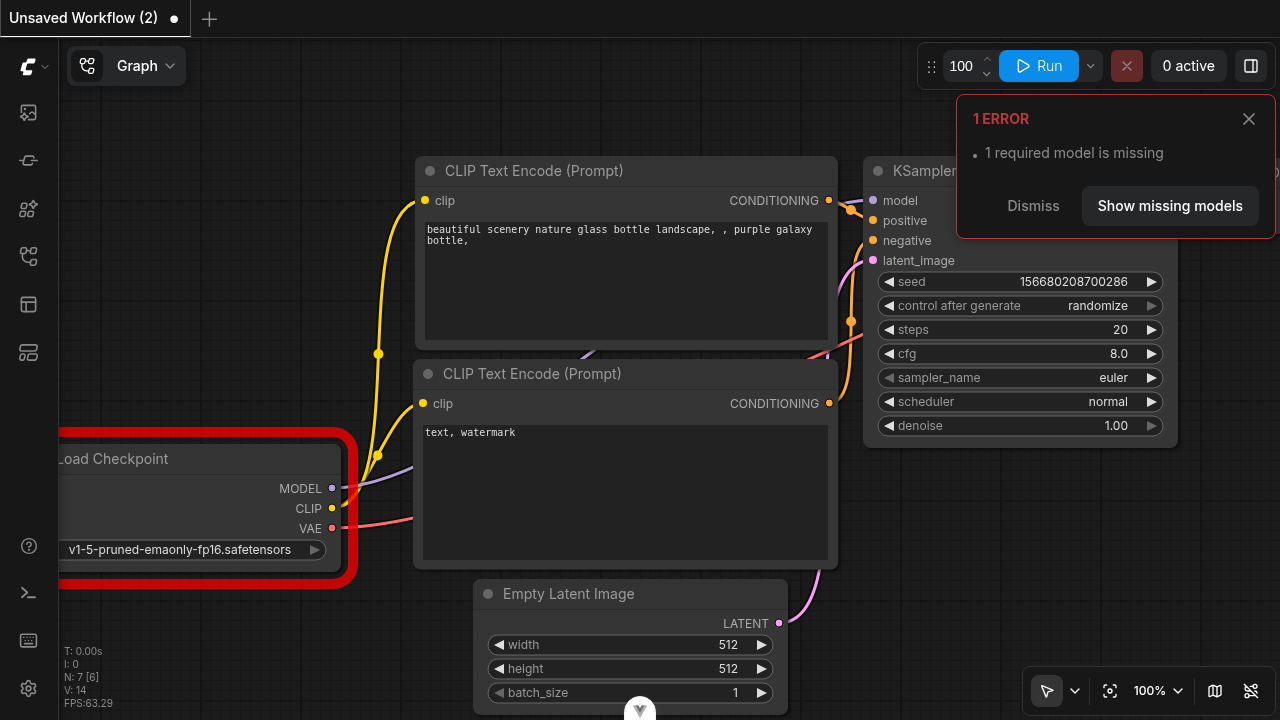
┆Issue is synchronized with this [Notion
page](https://www.notion.so/PR-11876-feat-align-cloud-batch-count-limit-with-server-side-queue-cap-3566d73d3650819b8d01dbf83d1a8e49)
by [Unito](https://www.unito.io)
Co-authored-by: Glary-Bot <glary-bot@users.noreply.github.com>
Replace PrimeVue components in 3D node viewer controls with the
project's Reka UI equivalents across 7 files.

## Changes

| File | Replaced |
|------|---------|
| `AnimationControls.vue` | `Select` × 2 (speed + animation) |
| `ViewerModelControls.vue` | `Select` × 2 (up direction + material
mode) |
| `ViewerCameraControls.vue` | `Select` + `Slider` (camera type + FOV) |
| `ViewerExportControls.vue` | `Select` (export format) |
| `PopupSlider.vue` | `Slider` |
| `ViewerLightControls.vue` | `Slider` |
| `ViewerSceneControls.vue` | `Checkbox` → native `<input
type="checkbox">` |

## Implementation notes

- `Select` uses `@/components/ui/select/*` compound components. Numeric
model values (animation speed index) are stringified at the binding
boundary and converted back on update, matching Reka `SelectRoot`'s
`string`-only `modelValue` contract.
- `Slider` uses `@/components/ui/slider/Slider.vue`. Single-number
`defineModel` values are wrapped in a `computed` array and unwrapped in
the update handler, following the pattern established in
`LightControls.vue`.
- No new Reka UI wrapper components were created — existing ui/select
and ui/slider primitives were used directly.

## Test

https://github.com/user-attachments/assets/afca0fc8-a7b6-49ee-b221-ee5725bd127e
1. AnimationControls.vue
- **Add Load3D node** → Upload an animated GLB file (e.g., a character
model).
- **Node preview top bar:** Play/Pause button, speed dropdown, animation
name dropdown, and progress bar.

2. PopupSlider.vue
- **Hover over Load3D preview:** Icon buttons appear in the left
toolbar.
- **"Light Intensity" button (bulb icon)** → Slider pops up on the
right.
- **"FOV" button (view icon)** → Slider pops up on the right.

3. ViewerCameraControls.vue
- **Load3D node** → Settings panel (top-right) → **"Camera"** tab.
- **Features:** Camera type dropdown (Perspective / Orthographic), FOV
slider (visible in Perspective mode).

4. ViewerExportControls.vue
- **Settings panel** → **"Export"** tab.
- **Features:** Format dropdown (GLB / OBJ / STL), Export button.

5. ViewerLightControls.vue
- **Settings panel** → **"Light"** tab.
- **Features:** Light intensity slider.

6. ViewerModelControls.vue
- **Settings panel** → **"Model"** tab.
- **Features:** "Up direction" dropdown, Material mode dropdown
(Wireframe / Normal, etc.).

7. ViewerSceneControls.vue
- **Settings panel** → **"Scene"** tab.
- **Features:** Background color picker, "Show grid" checkbox, upload
background image button.


<!-- CURSOR_SUMMARY -->
---

> [!NOTE]
> **Medium Risk**
> UI component swap touches multiple interactive viewer controls
(selects/sliders/checkbox), so small binding/typing differences (string
vs number, array slider values) could cause subtle regressions despite
test updates.
>
> **Overview**
> Replaces PrimeVue `Select`, `Slider`, and `Checkbox` usages across
Load3D viewer controls with the project’s Reka UI-based primitives
(`@/components/ui/select/*`, `@/components/ui/slider/Slider.vue`) and a
native checkbox.
>
> Updates v-model wiring to match the new components’ contracts: selects
now bind via string `modelValue` with explicit number casting where
needed, and sliders now wrap single numeric values into `[number]`
arrays with corresponding update handlers. Unit tests are updated to
mock the new UI components and their updated event/value shapes.
>
> <sup>Reviewed by [Cursor Bugbot](https://cursor.com/bugbot) for commit
46f99db256. Bugbot is set up for automated
code reviews on this repo. Configure
[here](https://www.cursor.com/dashboard/bugbot).</sup>
<!-- /CURSOR_SUMMARY -->


┆Issue is synchronized with this [Notion
page](https://www.notion.so/PR-12020-refactor-load3d-replace-PrimeVue-Select-Slider-Checkbox-with-Reka-UI-3586d73d365081f58601d93031016afd)
by [Unito](https://www.unito.io)
## Summary

Reuse the actionbar queue-button page object in the queue mode E2E tests
so dropdown selectors live in one helper.

## Changes

- **What**: Adds queue mode menu/item helpers to
`ComfyActionbar.queueButton` and updates `queueButtonModes.spec.ts` to
use them.
- **Dependencies**: None.

## Review Focus

This is stacked on #11209 and should be reviewed as a test-infra cleanup
only; the behavior covered by the spec is unchanged.

┆Issue is synchronized with this [Notion
page](https://www.notion.so/PR-11927-test-reuse-queue-button-page-object-in-e2e-3566d73d365081918d59c2d587c4c94a)
by [Unito](https://www.unito.io)
2026-05-06 15:07:57 +00:00
250 changed files with 15697 additions and 1606 deletions
Use only PR metadata already available in the review context: the PR title, commit subjects in this PR, the files changed in this PR relative to the PR base (equivalent to `base...head`), and the PR description.
Do not rely on shell commands. Do not inspect reverse diffs, files changed only on the base branch, or files outside this PR. If the changed-file list or commit subjects are unavailable, mark the check inconclusive instead of guessing.
Use only PR metadata already available in the review context:
- the PR title
- commit subjects in this PR
- The files changed in this PR relative to the PR base (equivalent to `base...head`)
- the PR description.
Do not rely on shell commands.
Do not inspect reverse diffs, files changed only on the base branch, or files outside this PR.
If the changed-file list or commit subjects are unavailable, mark the check inconclusive instead of guessing.
Pass if at least one of the following is true:
1. Neither the PR title nor any commit subject in the PR uses bug-fix language such as `fix`, `fixed`, `fixes`, `fixing`, `bugfix`, or `hotfix`.
2. The PR changes at least one file under `browser_tests/`.
3. The PR description includes a concrete, non-placeholder explanation of why an end-to-end regression test was not added.
Fail if all of the following are true:
1. The PR title and/or any commit subject in the PR uses bug-fix language such as `fix`, `fixed`, `fixes`, `fixing`, `bugfix`, or `hotfix`.
2. The PR changes files under `src/` or `packages/` related to the main frontend application but the PR does not change at least one file under `browser_tests/`.
3. The PR description lacks a concrete explanation of why an end-to-end regression test was not added.
Do not fail if the changes are exclusively in `apps/website`, just documentation changes, or changes related to CI processes.
The goal is to make sure that fixes include End-to-End regression tests. Do not insist on tests when the PR is not fixing a bug.
Pass otherwise.
When failing, mention which bug-fix signal you found and ask the author to either add or update a Playwright regression test under `browser_tests/` or add a concrete explanation in the PR description of why an end-to-end regression test is not practical.
Fail otherwise. When failing, mention which bug-fix signal you found and ask the author to either add or update a Playwright regression test under `browser_tests/` or add a concrete explanation in the PR description of why an end-to-end regression test is not practical.
- name:ADR compliance for entity/litegraph changes
en:'Explore and Use a Community Workflow from the Hub',
'zh-CN':'探索并使用社区工作流'
},
'demos.community-workflows.description':{
en:'Discover how to find and get started with popular community workflows for generative AI projects.',
'zh-CN':'了解如何查找并使用流行的社区工作流来构建生成式 AI 项目。'
},
'demos.community-workflows.transcript':{
en:'<ol><li><strong>Open the Workflow Hub</strong> — From the ComfyUI sidebar, navigate to the community Workflow Hub to browse curated and trending workflows shared by the community.</li><li><strong>Browse popular workflows</strong> — Explore featured projects sorted by popularity, recency, and category to find one that matches your goal.</li><li><strong>Preview a workflow</strong> — Click a workflow card to see example outputs, required models, and a description of what it produces.</li><li><strong>Open in ComfyUI</strong> — Use the "Get Started" action to load the selected community workflow directly onto your canvas.</li><li><strong>Run and customize</strong> — Queue the workflow to generate your first result, then tweak prompts, models, and parameters to make it your own.</li></ol>',
@@ -249,6 +249,7 @@ Companion architecture documents that expand on the design in this ADR:
| [ECS Lifecycle Scenarios](../architecture/ecs-lifecycle-scenarios.md) | Before/after walkthroughs of lifecycle operations (node removal, link creation, etc.) |
| [World API and Command Layer](../architecture/ecs-world-command-api.md) | How each lifecycle scenario maps to a command in the World API |
| [Subgraph Boundaries and Widget Promotion](../architecture/subgraph-boundaries-and-promotion.md) | Design rationale for modeling subgraphs as node components, not separate entities |
| [ADR 0009: Subgraph promoted widgets](0009-subgraph-promoted-widgets-use-linked-inputs.md) | Follow-up decision for promoted widget identity and value ownership at subgraph boundaries |
| [Appendix: Critical Analysis](../architecture/appendix-critical-analysis.md) | Independent verification of the accuracy of the architecture documents |
| [Change Tracker](../architecture/change-tracker.md) | Documents the current undo/redo system that ECS cross-cutting concerns will replace |
| Promotion source types | `PromotedWidgetSource` and `PromotedWidgetView` carry the optional field. | Source identity needs more than immediate node ID plus widget name for nested promoted views. |
| Concrete widget resolution | `findWidgetByIdentity(...)` matches promoted views by `(disambiguatingSourceNodeId ?? sourceNodeId)` when a source node ID is supplied. | Multiple promoted views under the same intermediate node can share a widget name. |
| Legacy proxy normalization | Prefixed legacy names such as `123:widget_name` are converted into structured source identity and tested with candidate disambiguators. | Old serialized names encode leaf identity inside the widget name string. |
| Promotion store keys | `makePromotionEntryKey(...)`, `isPromoted(...)`, and `demote(...)` include the field in equality. | Store-level uniqueness would collapse distinct nested promotions without the leaf ID. |
| Linked promotion propagation | `SubgraphNode._resolveLinkedPromotionBySubgraphInput(...)` preserves the leaf ID when a linked input targets an inner subgraph promoted view. | The outer host otherwise sees only the immediate inner `SubgraphNode` and the promoted widget name. |
| Subgraph editor UI | The editor uses the field when resolving active widgets and when writing reordered/toggled promotions back to the store. | UI list operations must not merge same-name promoted views from different leaves. |
## New promoted-widget identity
ADR 0009 moves promoted value identity to the host boundary:
```ts
typePromotedWidgetUiIdentity={
hostNodeLocator: string
subgraphInputName: string
}
```
The canonical widget is owned by a `SubgraphInput` on the host
`SubgraphNode`. The host widget no longer needs to identify the deepest source
node to preserve value identity. The source widget is consulted for schema,
defaults, diagnostics, and migration, but it is not the value owner.
| `PromotedWidgetSource.disambiguatingSourceNodeId` | Host value identity is `hostNodeLocator + SubgraphInput.name`; source locator fields become migration/diagnostic metadata only. |
| `PromotedWidgetView.disambiguatingSourceNodeId` | Host-scoped widget entities are derived from subgraph inputs, not from promoted views chained through nested source widgets. |
| `findWidgetByIdentity(...)` leaf matching | Runtime value lookup starts from the host input identity; source traversal is metadata resolution, not value identity resolution. |
| Legacy prefixed widget-name normalization | Load migration consumes legacy source-shaped entries and writes standard subgraph input state or quarantine metadata. |
| Linked promotion propagation across nested hosts | Nested value composition is represented boundary-by-boundary by linked subgraph inputs with stable names. |
| Subgraph editor active widget matching | Editor state can operate on host boundary entries instead of matching leaf source widgets through same-name promoted views. |
## Boundary-by-boundary nested flow
The new form avoids flattened deep source paths. Each host boundary exposes its
own named input, and the next outer host links to that immediate boundary
| Serialized authority | `properties.proxyWidgets` stores source node/widget tuples as promotion topology. | Subgraph interface/input links can also represent the same exposed widget. | Subgraph interface/input links are the only canonical topology for promoted value widgets. |
| Load-time role | Hydrates promoted widgets directly from legacy tuples. | May already describe the promoted widget, creating overlap with `proxyWidgets`. | Existing linked inputs are accepted as resolved; legacy tuples are consumed by repair or quarantined. |
| Save-time role | Could be re-emitted as promotion state. | Serialized as normal subgraph interface data. | Repaired `proxyWidgets` entries are omitted; standard subgraph inputs plus host `widgets_values` are saved. |
| Value owner | Ambiguous: host `widgets_values` and the interior source widget could both carry the value. | Closer to the desired boundary model, but still coexisted with source/proxy ownership paths. | Host `SubgraphNode` owns value state through host-scoped widget identity. |
| Schema/default provider | Interior source widget provides schema and may also become persistence carrier. | Interior source widget provides source metadata through the link. | Interior source widget provides schema, type, options, tooltip, and defaults only. |
| UI identity | Often persisted by source node/widget identity. | Can use subgraph input identity, but mixed states still exist while proxy identity remains. | Host node locator plus `SubgraphInput.name`. |
| Display label handling | Source widget identity and display concerns can blur. | Uses existing subgraph input naming conventions. | `SubgraphInput.name` is stable identity; `label` / `localized_name` are display-only. |
| Multiple host instances | Risk of host instances stomping one another through shared interior values. | Better host boundary shape, but overlap with proxy/source value paths can reintroduce ambiguity. | Host-instance-owned sparse overlay prevents shared interior widget value stomping. |
| Prompt serialization | May read values through promoted runtime state that can collapse to source widgets. | Can serialize through standard subgraph input widgets when used consistently. | Promoted values serialize only through standard host-owned subgraph-input widgets. |
| Interior mutation on save | Existing `SubgraphNode.serialize()` behavior could copy exterior values into connected interior widgets. | Could still be affected by legacy copy-back behavior. | Copy-back is removed; source widgets are not persistence carriers. |
| Primitive-node promotions | Legacy tuples may point at `PrimitiveNode` outputs. | Not the canonical primitive fanout representation by itself. | Repaired all-or-nothing into one `SubgraphInput` that reconnects validated fanout targets. |
| Invalid or unresolved data | Invalid data could sit in legacy promotion state or fail repair paths. | Missing linked inputs can be ambiguous when proxy data exists. | Invalid raw data logs and is ignored; unrepaired valid value entries go to `proxyWidgetErrorQuarantine`. |
| Display-only previews | Often mixed into `proxyWidgets` despite not being value widgets. | Linked inputs are inappropriate because previews do not own values or prompt inputs. | Separate host-scoped `properties.previewExposures` entries model preview UI only. |
| Preview persistence | Preview selections can depend on source preview/widget-like identity. | No clean distinction from promoted widget inputs. | Preview identity is host node locator plus `previewName`; unresolved previews stay inert and persisted. |
| Nested preview behavior | Deep source identity can leak through host UI state. | Linked value inputs do not model display-only preview composition. | Preview exposures chain across immediate subgraph host boundaries; deep private paths are not persisted. |
| ECS compatibility | Weak: value identity can depend on source widget tuples and mutable interior widgets. | Partial: linked inputs fit boundary modeling, but duplicate authority remains. | Strong: host-scoped widget entity identity maps cleanly to ECS component state. |
| Long-term status | Legacy load-time input only. | Becomes the standard representation once overlap is removed. | Canonical system; `PromotionStore` becomes a temporary derived compatibility/index layer. |
| Valid `proxyWidgets` entry already represented by a linked `SubgraphInput` | Entry is consumed; the existing linked input remains canonical. |
| Valid value-widget `proxyWidgets` entry without a linked input | Repair creates or reconnects standard subgraph input/link state. |
| Valid primitive fanout entry | Repair creates one `SubgraphInput`, reconnects all validated targets, and leaves the primitive node inert. |
| Valid value-widget entry that cannot be repaired | Entry is persisted in `properties.proxyWidgetErrorQuarantine` with the host value when available. |
| Preview-shaped legacy entry | Entry is migrated into `properties.previewExposures`, not a linked input. |
| Unresolved preview exposure | Entry remains inert in `previewExposures`; it is not quarantined because it owns no user value. |
| Invalid raw `proxyWidgets` data | Logs `console.error`, does not throw, and is not quarantined. |
Some files were not shown because too many files have changed in this diff
Show More
Reference in New Issue
Block a user
Blocking a user prevents them from interacting with repositories, such as opening or commenting on pull requests or issues. Learn more about blocking a user.