
Stable Diffusion WebUI Aspect Ratio selector
Extension for AUTOMATIC1111/stable-diffusion-webui adding image aspect ratio selector buttons.
Install
Browse to the Extensions tab -> go to Install from URL -> paste in https://github.com/alemelis/sd-webui-ar -> click Install
Here's how the UI looks like after installing this extension
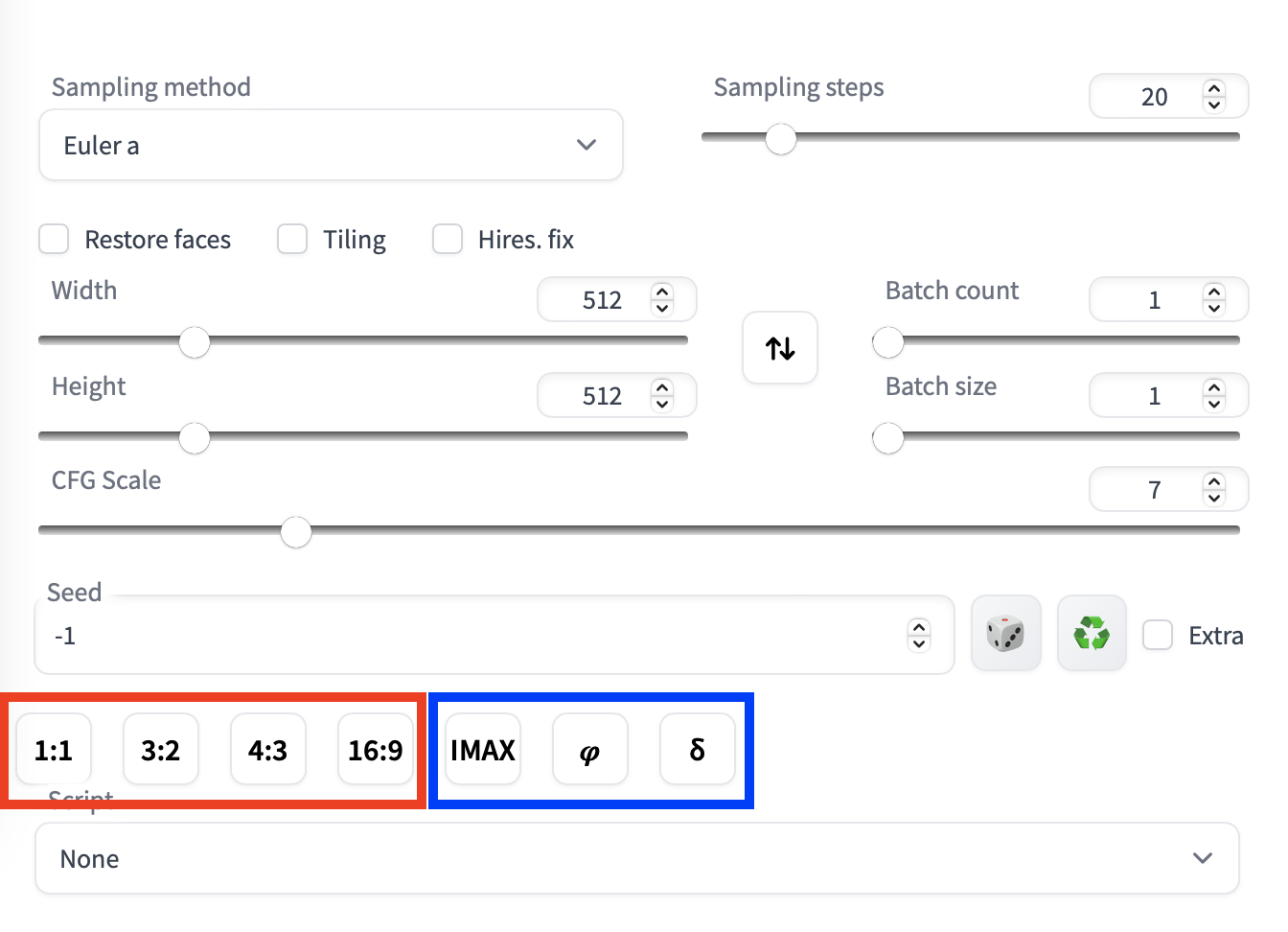
In red you have some pre-defined aspect ratio buttons, in blue the custom ones.
Usage
Simply click on the aspect ratio button you want to set. In the case of an aspect ratio greater than 1, the script fixes the width and changes the height. Whereas if the aspect ratio is smaller than 1, the width changes while the height is fixed.
Configuration
Custom aspect ratios can be defined in the /sd-webui-ar/aspect_ratios.txt file. The file is pre-populated with the most common values
# 6:13, 0.461538
# 9:16, 0.5625
# 3:5, 0.6
# 2:3, 0.666
# 19:16, 1.19 # fox movietone
# 5:4, 1.25 # medium format photo
# 11:8, 1.375 # academy standard
IMAX, 1.43
# 14:9, 1.56
# 16:10, 1.6
𝜑, 1.6180 # golden ratio
# 5:3, 1.6666 # super 16mm
# 1.85, 1.85 # US widescreen cinema
# DCI, 1.9 # digital imax
# 2:1, 2.0 # univisium
# 70mm, 2.2
# 21:9, 2.370 # cinematic wide screen
δ, 2.414 # silver ratio
# UPV70, 2.76 # ultra panavision 70
# 32:9, 3.6 # ultra wide screen
# PV, 4.0 # polyvision
Note the # marking the line as a comment, i.e. the extension is not reading that line. To use a custom value, un-comment the relative line by removing the starting #.
A custom aspect ratio is defined as button-label, aspect-ratio-value # comment. The aspect-ratio-value must be a number (either float or int) while the # comment is optional.