Installation
Installation Methods
Method 1 (Using Git Clone):
This method requires Git to be installed on your computer. If it is not installed, please refer to the official Git documentation for installation instructions.
-
Open the terminal and navigate to your
stable-diffusion-webuidirectory.
-
Use Git to clone
sd-webui-prompt-all-in-oneto theextensionsdirectory ofstable-diffusion-webui.git clone "https://github.com/Physton/sd-webui-prompt-all-in-one.git" extensions/sd-webui-prompt-all-in-one
-
Restart the Stable Diffusion WebUI.


Method 2 (Install from URL):
-
Open the Stable Diffusion WebUI webpage.
-
Click on
Extensions-Install from URL.
-
Enter
https://github.com/Physton/sd-webui-prompt-all-in-one.git. -
Click on
Installand wait for the installation to complete. This process may take several minutes or longer. There will be a success prompt after the installation is complete.
-
Click on
Installed-Apply and Restart UI.


Method 3 (Install from Official Extension Library):
-
Open the Stable Diffusion WebUI webpage.
-
Click on
Extensions-Available-Load from.
-
Find
sd-webui-prompt-all-in-oneand click onInstall.
-
Wait for the installation to complete. This process may take several minutes or longer. There will be a success prompt after the installation is complete.

-
Click on
Installed-Apply and Restart UI.


Method 4 (Install from Source Code):
This installation method cannot be updated with one click, and is not recommended!!!
-
Download the source code package for
sd-webui-prompt-all-in-one.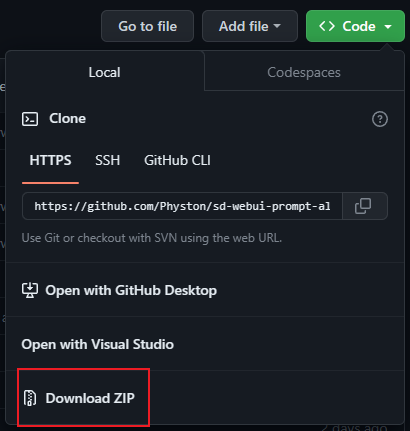
-
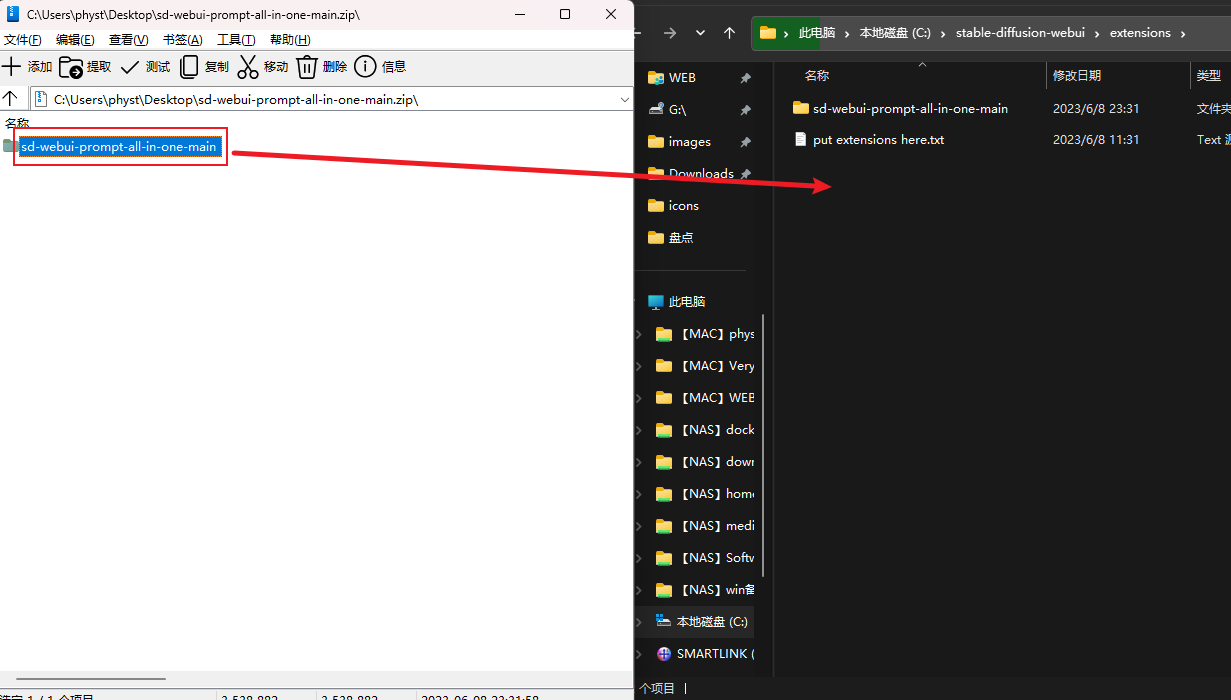
Unzip it to the
stable-diffusion-webui\extensionsdirectory.
-
Restart the Stable Diffusion WebUI.
Notes
-
After installation using any method, you need to restart Stable Diffusion WebUI.
-
If an error occurs during the installation process using any method, you need to manually delete the
stable-diffusion-webui\extensions\sd-webui-prompt-all-in-onedirectory, then restart Stable Diffusion WebUI, and reinstall. -
The installation process may take several minutes or longer, so please be patient.
-
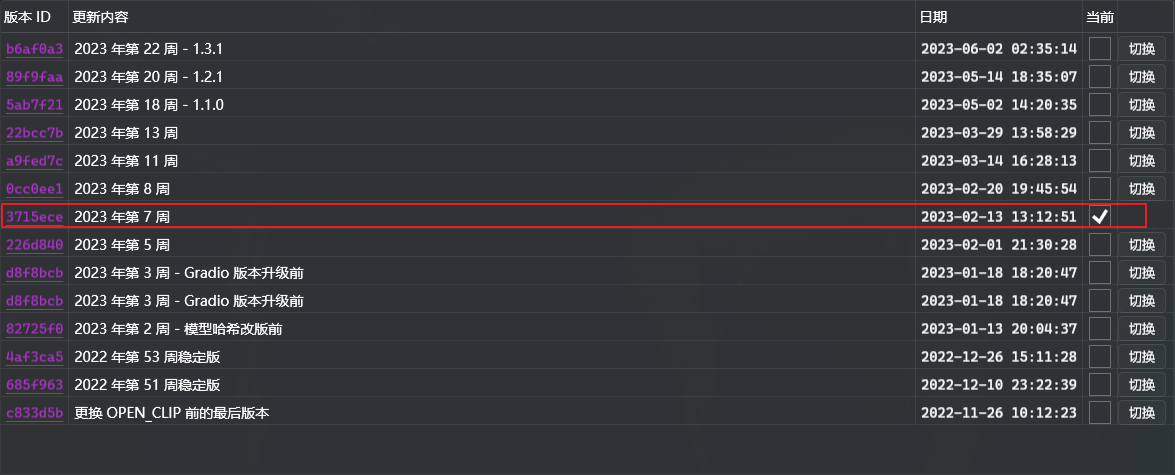
You need to make sure that your WebUI version is 3715ece or higher. If your WebUI version is lower than this, you need to update WebUI.
-
After starting with the
--data-dirparameter, the WebUI needs to add the parameter--gradio-allowed-path="path to this extension".If the
--gradio-allowed-pathparameter is not added, most third-party extensions cannot be used, not just this one.--gradio-allowed-path="path to your Data folder\extensions\sd-webui-prompt-all-in-one"or
--gradio-allowed-path="path to your Data folder\extensions\"