List of keywords
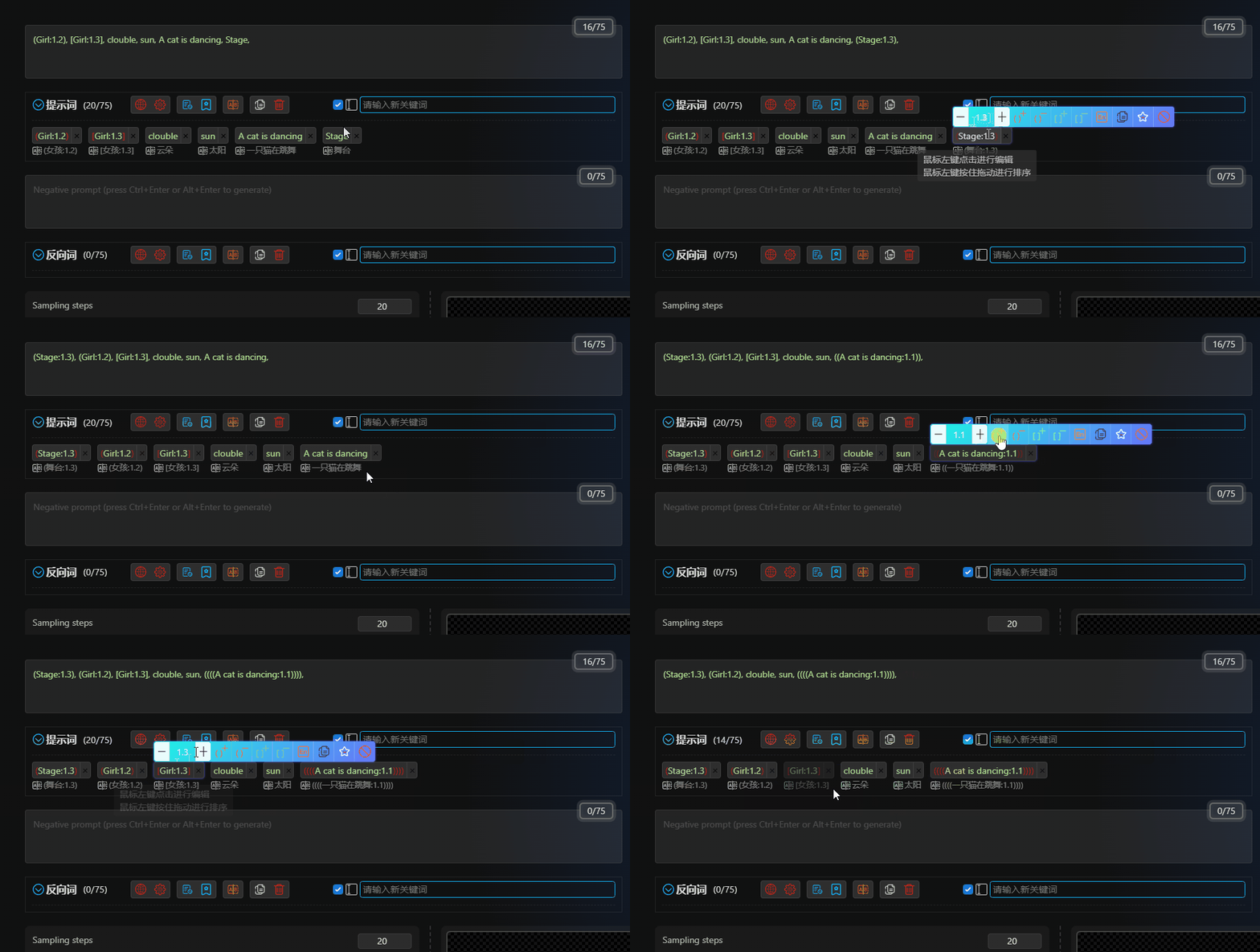
Keyword Operations

-
Hover over each keyword to make individual adjustments.
-
To display the button to the right of the keyword, go to Theme Style and enable this feature.
Drag and Drop Sorting
Left-click and drag the keyword to the desired location.
If you experience ghosting in the input box of the WebUI after dragging keywords, it may be due to the installation of DeepL or other translation plugins in your browser.
Weight Adjustment

-
Enter a number in the weight input box or use the plus and minus buttons to adjust the weight.
-
The weight can support up to six decimal places and is incremented and decremented by 0.1 by default.
-
Click the
Bracketbutton to add or remove brackets from the keyword.
Insert Line Break

Click the Wrap button to insert a line break after the current keyword.
Translate to English
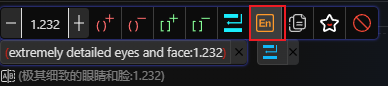
Click the Translate to English button to translate the current keyword into English.
Copy Keyword

Click the Copy button to copy the current keyword to the clipboard.
Favorite/Unfavorite Keyword

-
Click the
Favoritebutton to add the current keyword to your favorites. -
If the keyword is already in your favorites, click the
Favoritebutton to remove it.
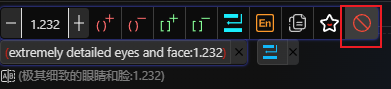
Disable Keyword
-
Click the
Disablebutton to disable the current keyword. -
If the keyword is already disabled, click the
Disablebutton to enable it. -
Disabled keywords will not be added to the WebUI input box and can be re-enabled when needed.
Translate to Local Language

Click the Translate to Local Language button to translate the current keyword into the local language.
Highlight Keyword


-
Lora, LyCORIS, and Textual Inversion keywords are highlighted.
-
If Lora or LyCORIS is not in your model list, it will blink to remind you.
-
The translation of Lora, LyCORIS, and Textual Inversion keywords does not come from online translation, but from the original names in the local nfo file of the
Civitai Assistant.
Highlight Keywords in WebUI Input Box
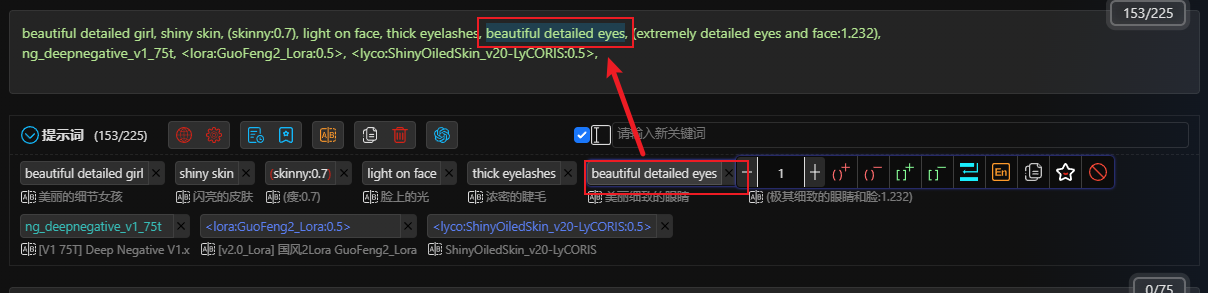
When you move your mouse over a keyword, it will be highlighted in the WebUI input box.